Concept and Inspiration
A spoonful of sugar can become something wonderfully different depending on what happens next. The familiar white crystals in a sugar bowl are largely sucrose, a sugar made from glucose and fructose units. Refineries extract sucrose from sugarcane or sugar beets, dissolve and purify it, then crystallize it again. That journey from plant to syrup to neat little grains is one reason sugar makes such a fascinating starting point for a candy-making world. [1]
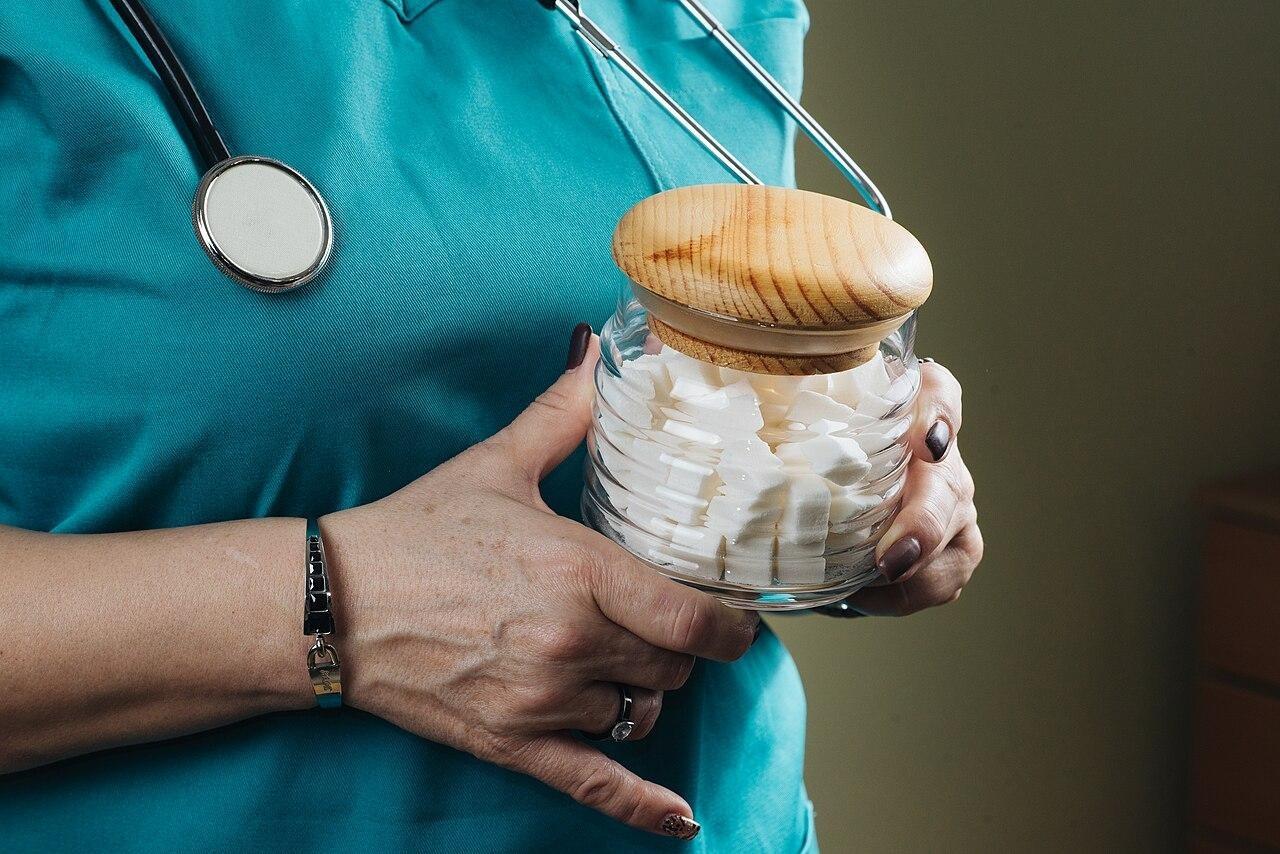
Figure 1. A clear jar of white sugar cubes held in a person's hands.
Photo: Shixart1985 | ccby2.0
Rock candy lets you see crystal growth on a much larger scale. Dissolve enough sugar in water to make a concentrated solution, and crystals can grow around a stick or string as the solution crystallizes. Crystallization begins when tiny crystal structures form, then continues as more material joins them. The rough, sparkling pieces look nothing like the tidy sugar cubes we pour into a cup, even though both point back to the same sweet ingredient. [2] [3]
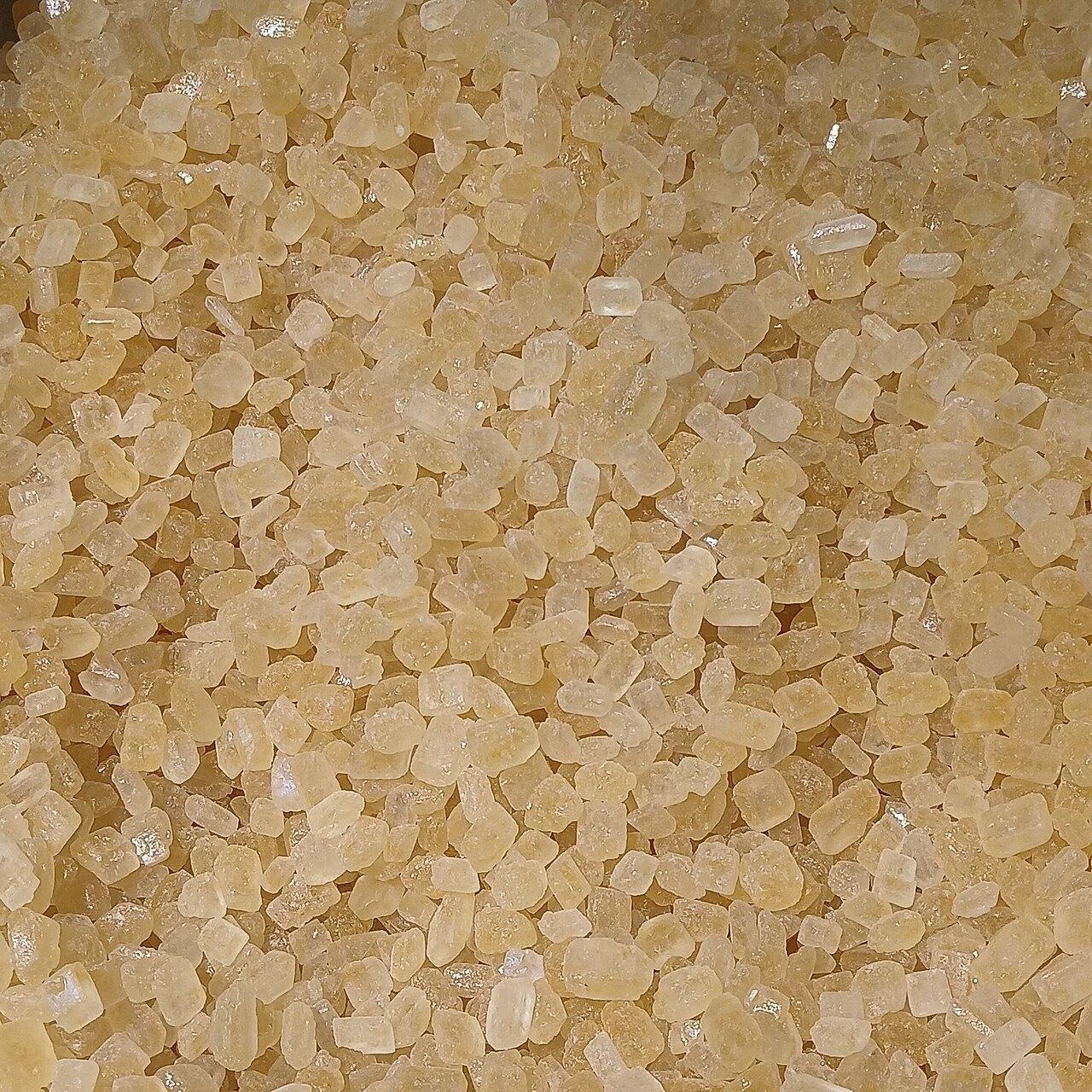
Figure 2. A close-up of small, pale-yellow sugar crystals with irregular surfaces.
Photo: Fumikas Sagisavas | cc0
Other sweets take a different path. Hard candy is made by heating sugar-based syrup to about 320°F (160°C), then letting it set. In many hard candies, the sugars form a smooth, noncrystalline solid rather than the visible crystals of rock candy. Controlling whether sugar crystallizes is part of what makes one confection crisp and glasslike while another develops a different texture. [4] [5]
Candy makers work with more than a single recipe. Research into supersaturated sucrose solutions shows that stirring a sufficiently cooled solution can speed crystallization, a process relevant to making fondant. Another study of model confectionery mixtures found that adding lactose could prevent sucrose from crystallizing under its tested conditions. The ingredients and handling matter as much as the sugar itself. [6] [7]
We developed Candy Clicker around a playful version of that variety: a little sweet at the center of an ever-growing workshop, with ordinary candies, rare golden ones, Sugar Cubes, and Sugar Crystals each playing a different part in your progress. Our game turns the idea of sugar taking many forms into a colorful production adventure. Instead of following a confectioner's recipe, you grow your candy output with clicks, helpers, and upgrades; the sugar-themed currencies make each new stage of growth feel like discovering another kind of sweet.
Story
Our imagined tale begins in Sugarwick, a town whose windows glow like squares of amber candy after dusk. Elia, a young confectioner, has just inherited a shop with three empty display jars, a stubborn copper kettle, and a sign that still promises the finest sweets in town. Tomorrow is the Lantern of Sweets festival. Above the square hangs an enormous sugar-glass lantern, but its light has faded to a dull, sleepy pink.
Elia wraps her first candy in striped pink paper and sets it on the counter. One becomes a handful; a handful becomes a whole tray. Soon she has helpers making sweets while she tends the window display. Then a glimmer crosses the blue evening sky. Golden candies, bright as tiny falling stars, drift past the roofs and disappear almost as quickly as they arrive. Elia darts after each one, hoping to gather enough sweetness to bring the festival lantern back to life.
In a drawer beneath the old counter, she finds a page about Sugar Cubes and a stranger recipe involving Sugar Crystals. The recipe offers a difficult bargain: trade the comfortable workshop she has built for a fresh beginning with greater potential. Elia worries about the jars she has filled, yet she also imagines a brighter shop, busier helpers, and a lantern visible from the farthest hill. On festival night, the counter is crowded with candy and the lantern catches the light again. The story's sweetest discovery is that growing something wonderful can sometimes mean starting over with what you have learned.
Gameplay
Click the large pink wrapped candy in the center on PC, or tap it on mobile, to earn candy. Spend your candy in the Candy Shop on upgrades that strengthen each click or generate candy automatically. Keep collecting and reinvesting as your production rate rises. Short golden-candy events and special sugar upgrades give you additional ways to grow your workshop.
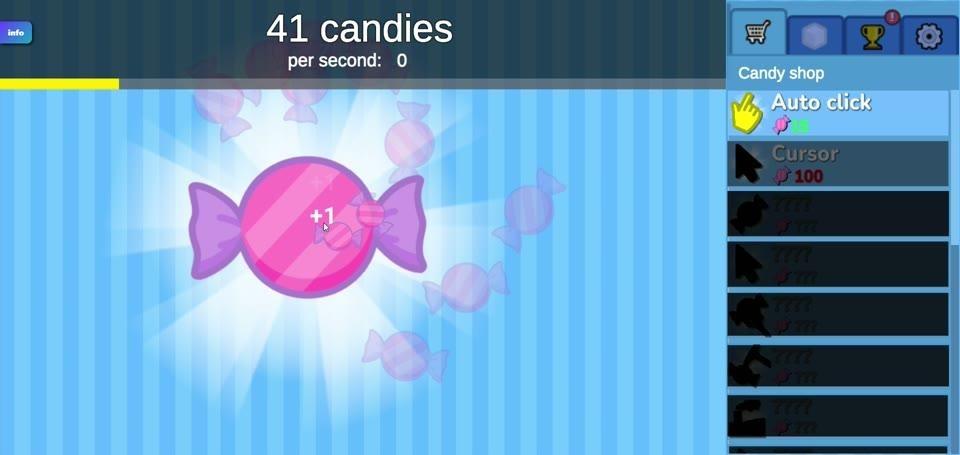
Figure 3. The large pink candy sits beneath the candy counter, with the Candy Shop on the right.
Your Candy and the Live Counters
The large white number at the top shows your current candy balance. Below it, the candies-per-second display tells you how much your automatic production adds over time. Small floating numbers such as +1 or +3 appear near the main candy as you earn candy by clicking. Pale-pink wrapped sweets drift around the play area, giving your growing pile of candy a lively backdrop.
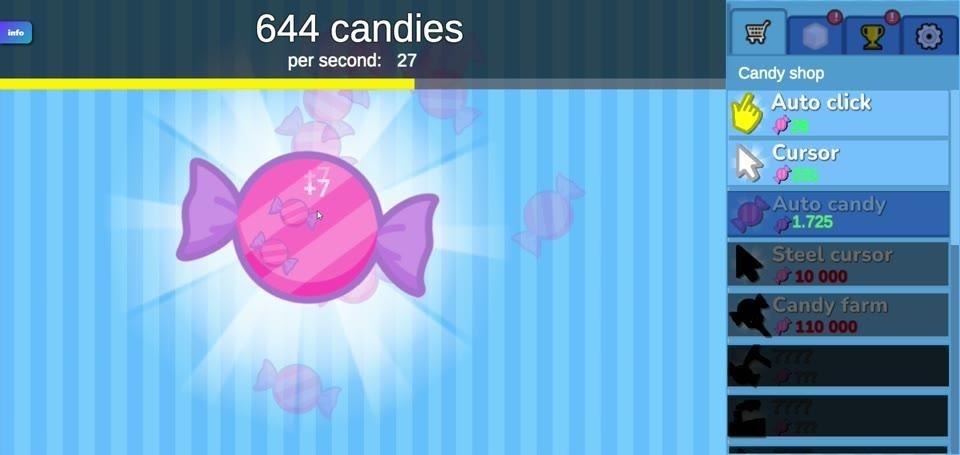
Figure 4. Floating candy gains appear beside the large pink candy as the top counter tracks the balance.
The balance can fall when you buy an upgrade, but the purchase helps you earn candy faster afterward. For example, you can collect enough candy for an affordable shop item, purchase it, and continue clicking while its benefit contributes to later purchases. Candies per second and candy per manual click are different measures: one tracks automatic output, while the other describes what an individual action earns.
Candy Shop: Click Strength and Automatic Production
Open the shopping-cart tab to see the blue Candy Shop panel on the right. Auto click, marked with a pointing-hand icon, generates candy-making clicks automatically. Cursor, marked with a mouse-pointer icon, is a separate upgrade described as "1 candy per click"; its listed candy gain applies when you click the central candy. Prices appear next to the shop entries and can increase as you develop your workshop, so check the current price before buying again.
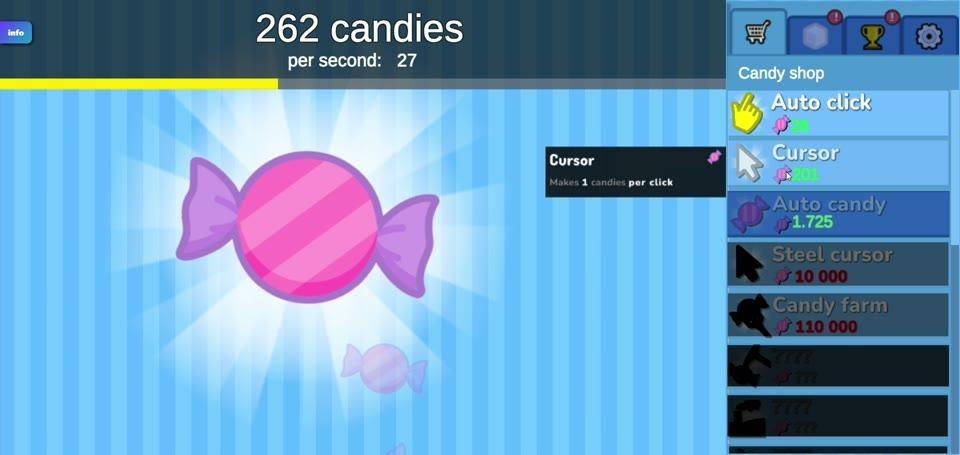
Figure 5. The Cursor upgrade's shop details explain its click-related candy gain.
Higher in the upgrade ladder, Auto candy adds 1 candy per second for each purchase: five purchases contribute 5 candies per second before other bonuses. Steel cursor strengthens manual clicks by adding 50 candies per click. Candy farm adds 10 candies per second, while Candy mine adds 100 candies per second. Their pink candy, pointer, farm, and mine icons help you distinguish the rows; expensive items may appear darkened until you can afford them.
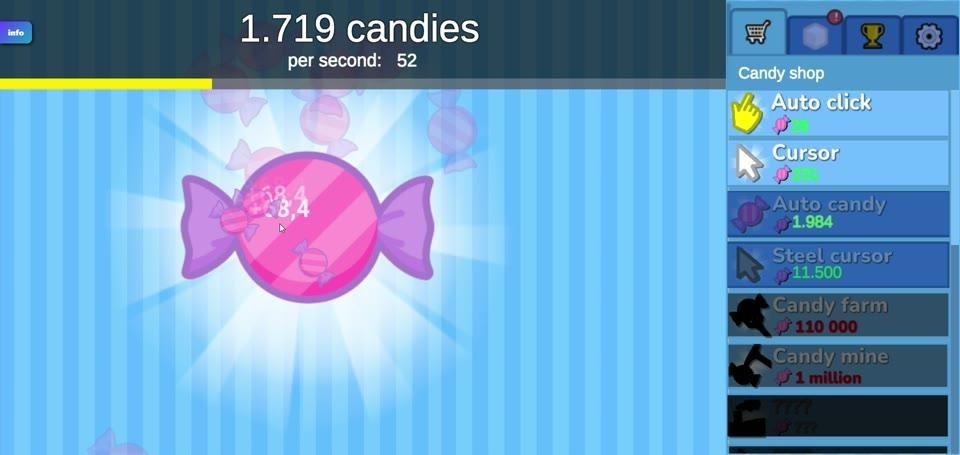
Figure 6. The Candy Shop lists automatic candy producers and stronger cursor upgrades at different candy prices.
Golden Candy Waves and the Yellow Bar
Watch the thin yellow bar along the lower edge of the dark header. It fills as you collect candy and improve production. When it reaches its threshold, a brief golden-candy wave begins and the bar starts a new cycle. Bright-yellow wrapped candies travel across the playfield for only a short time. Catch them before they vanish to earn extra candy; the event can also give you a Sugar Cube for special purchases.
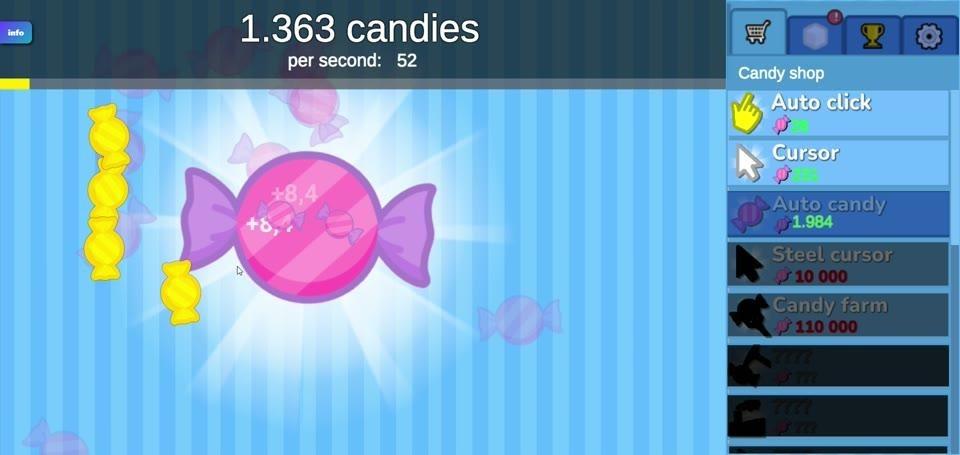
Figure 7. Bright golden wrapped candies appear on the blue playfield during a limited-time candy event.
Golden candies stand apart from the little pale-pink sweets that float around the main candy. They are temporary targets with a reward, so they give you a reason to look away from the main candy when the yellow progress bar is nearly full.
Sugar Shop, Level Bonuses, and Rebake
The pale sugar-cube tab at the upper right opens the Sugar Shop. Spend Sugar Cubes earned from golden candies and game events on special upgrades. One adds 20% to the candy earned per click, including Cursor's contribution. Another increases total automatic candy production per second by 20%, including the combined output of Auto candy, Candy farm, and Candy mine. A third increases the amount of candy awarded by golden candies by 20%. The level upgrade awards one extra Sugar Cube on each later level-up.
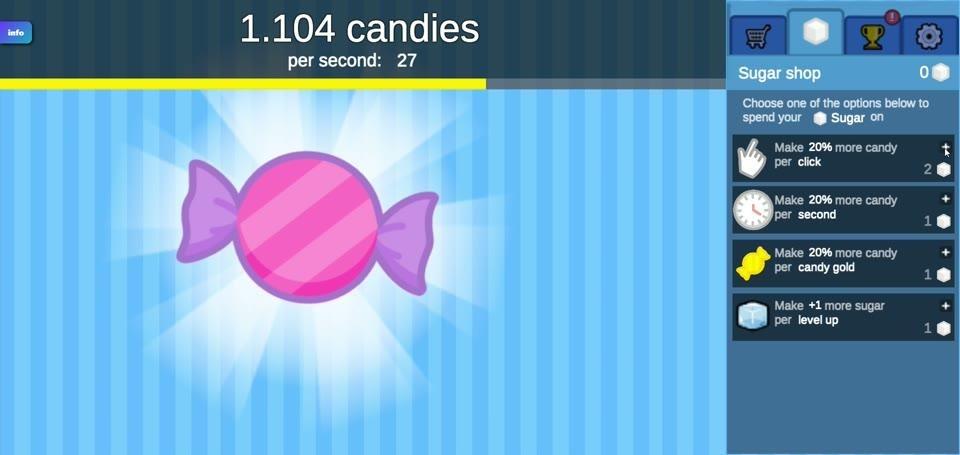
Figure 8. The Sugar Shop shows its Sugar Cube balance and special percentage-based candy upgrades.
As candy from clicking, automatic production, and golden treats accumulates toward level thresholds, you can level up. Once purchased, the extra-sugar-per-level upgrade grants one additional Sugar Cube at each level-up. The golden-candy bonus increases the candy collected from those passing treats by 20%. The prices shown in the Sugar Shop use Sugar Cubes rather than the ordinary candy balance.
Rebake offers a longer-term choice after the feature is unlocked. It resets the current candy-production progress in exchange for Sugar Crystals, which improve production on a subsequent run. Treat it as a deliberate fresh start when you want to build again with a new advantage, rather than as a loss forced by the game.
Achievements, Settings, and Handy Screen Details
The trophy tab near the upper right opens Achievements. A red notification badge may appear when there is something new to check. Pop-up notices such as Better clicks for an early Cursor milestone and Shiny yum for a first golden candy record the goals you have reached; these achievement notices mark milestones rather than awarding extra candy. The small Info button in the upper-left corner opens our game's information menu.
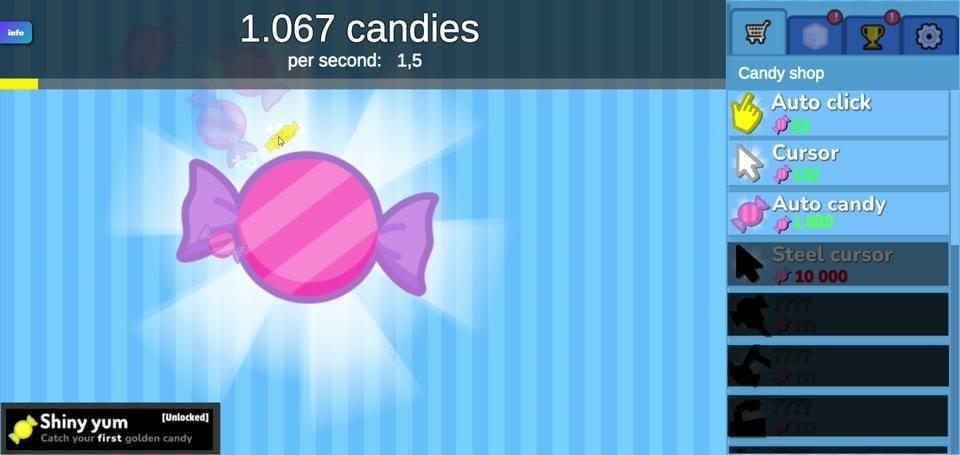
Figure 9. The play screen shows the shop tabs and an achievement notice alongside a golden-candy moment.
The gear tab opens Settings, with a Volume slider and switches for Music, Particles, and Text Particles. You will also find Rebirth text there. That option changes how rebirth text is displayed after rebirth is available; it is not the button that initiates Rebake.
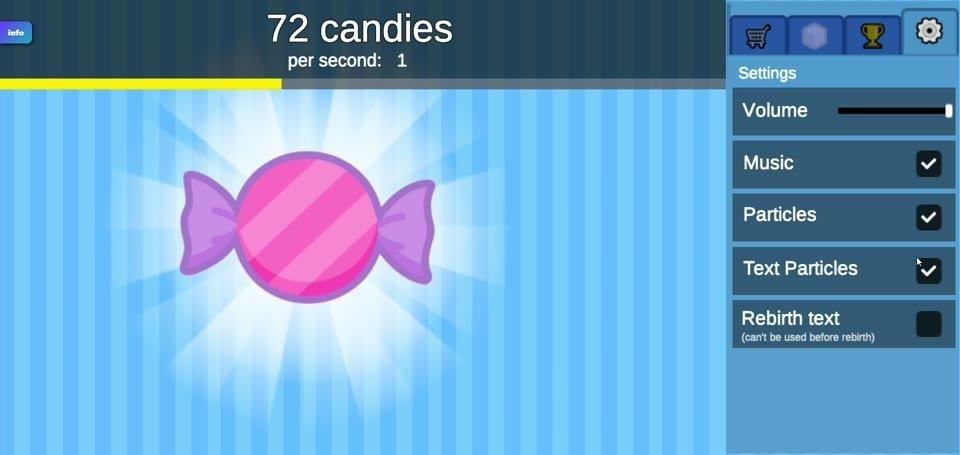
Figure 10. The Settings panel contains the volume control and visual and audio options.
What Counts as Success, and Does the Game End?
Candy Clicker is an endless game, so there is no required final victory screen. Success means building a larger candy supply, raising your candies-per-second rate, buying stronger upgrades, and reaching milestones that you choose to pursue. Each successful click earns candy; automatic producers keep adding to the total, and golden treats offer extra opportunities. There is no forced loss condition, countdown, or game-over penalty that ends your workshop. Your candy, Sugar Cubes, purchases, achievements, and level progress are saved when you leave and return. Rebake is the optional reset that trades current production progress for Sugar Crystals and improved future growth.
Visual Style
Our candy workshop uses a bright, uncluttered look. The main sweet is a round pink piece with diagonal stripes and purple twist-wrapped ends, centered over pale-blue vertical bands and white rays. The oversized candy is easy to spot, while tiny drifting sweets and floating gain numbers make individual clicks visible without covering the counters.
A dark header holds the white candy totals and thin yellow progress bar. The tall blue shop panel keeps prices and upgrades together, with simple icons for a hand, cursor, wrapped candy, farm, mine, trophy, sugar cube, and gear. Golden candies use strong yellow against the blue field, making the short-lived event targets easy to distinguish from ordinary pink decorations.
Standout Features
The pleasure of Candy Clicker is watching a small action turn into a busy production line. Manual candy-making gets you started, then the early click helpers and stronger automatic producers let your balance grow through several different routes. Auto candy, Candy farm, and Candy mine have clear, distinct per-second contributions, while Steel cursor rewards you for continuing to click by hand. The separate per-click and per-second readouts make that change easy to follow.
Cookie Clicker is a useful relative: it begins with clicks on a giant cookie and later uses purchased buildings to produce cookies automatically. [8] Candy Clicker shares that satisfying move from manual work to background production, while its visible golden-candy progress bar, passing collectible sweets, and Sugar Shop give you additional decisions between ordinary purchases. You can keep improving the workshop or choose Rebake for a fresh production cycle.
Candy Box! approaches incremental play through browser-based text and ASCII art, with role-playing elements. [9] Our game puts the growing candy total beside a large illustrated sweet, colorful upgrade rows, and short golden-candy events. The result is a candy counter you can read at a glance, even when you are deciding whether your next purchase should improve a click or add to automatic production.
A shop that grows with you, rare golden-candy moments, Sugar Cube bonuses, and the choice to rebuild through Rebake give the endless loop several rhythms. Visit Candy Clicker on slope3.com and see how far your sweet little workshop can grow.
Controls
PC
1. Left-click the large pink wrapped candy in the center of the screen. Each click adds candy to your total.
2. Click the shopping-cart tab at the upper right, then left-click a Candy Shop upgrade you can afford to purchase it. The upgrade increases your click output or automatic production according to its effect.
3. When a golden wrapped candy flies across the screen, left-click it before it disappears to collect its reward.
4. Click the pale sugar-cube tab at the upper right to open the Sugar Shop; left-click an affordable special upgrade to buy it with Sugar Cubes.
Mobile
1. Tap the large pink wrapped candy in the center. Each tap adds candy to your total.
2. Tap the shopping-cart tab at the upper right, then tap an affordable Candy Shop upgrade to purchase it and improve your candy production.
3. Tap a passing golden wrapped candy before it leaves the screen to collect its reward.
4. Tap the pale sugar-cube tab to open the Sugar Shop, then tap a special upgrade you can afford with Sugar Cubes.
References
[1] Sucrose. https://en.wikipedia.org/wiki/Sucrose
[2] Rock candy. https://en.wikipedia.org/wiki/Rock_candy
[3] Crystallization. https://en.wikipedia.org/wiki/Crystallization
[4] Hard candy. https://en.wikipedia.org/wiki/Hard_candy
[5] Crystals in hard candies. https://doi.org/10.17221/3497-cjfs
[6] Crystallization in highly supersaturated, agitated sucrose solutions. https://doi.org/10.1063/5.0150227
[7] Crystallisation of freeze-dried sucrose in model mixtures that represent the amorphous sugar matrices present in confectionery. https://doi.org/10.1039/c8fo00729b
[8] Cookie Clicker. https://en.wikipedia.org/wiki/Cookie_Clicker
[9] Candy Box!. https://en.wikipedia.org/wiki/Candy_Box!
Image Credits
Nurse holding a glass jar of white sugar cubes closeup.jpg — Shixart1985 — ccby2.0. https://commons.wikimedia.org/wiki/File:Nurse_holding_a_glass_jar_of_white_sugar_cubes_closeup.jpg License: https://creativecommons.org/licenses/by/2.0
Single crystal yellow rock candy.jpg — Fumikas Sagisavas — cc0. https://commons.wikimedia.org/wiki/File:Single_crystal_yellow_rock_candy.jpg License: http://creativecommons.org/publicdomain/zero/1.0/deed.en