Concept and Inspiration
Release a ball onto a track and gravity takes over, but the path still decides where that ball can go. In 1808, Sir William Congreve devised a clock that used a ball rolling along a zigzag track to help regulate its timing. The steady motion was shaped by a carefully arranged route. [1]
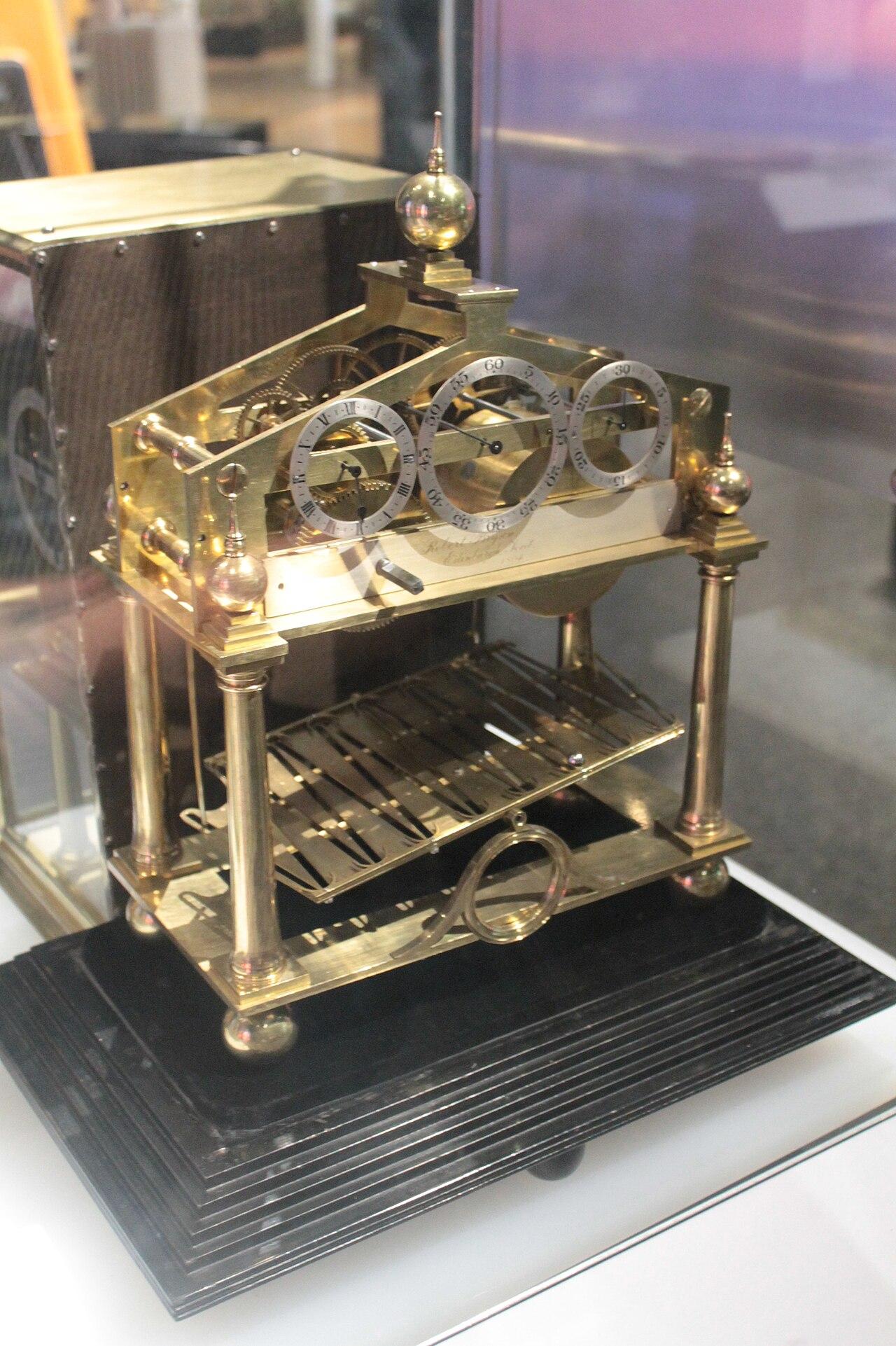
Figure 1. An early brass rolling-ball clock with a long guided track, attributed to Robert Bryson.
Photo: Stephencdickson | ccby-sa4.0
Motion can be an artwork, too. Kinetic art puts movement at the center of the experience, so the changing position of an object matters as much as its shape. A still arrangement becomes a sequence of moments when one piece begins to move. [2]
Rolling-ball sculptures make that sequence easy to follow: a ball travels through guided tracks, and the next ramp or obstacle changes its route. [3] Even a wooden marble run turns a simple release into a series of visible consequences. You can trace how each piece of the structure influences the ball's journey.
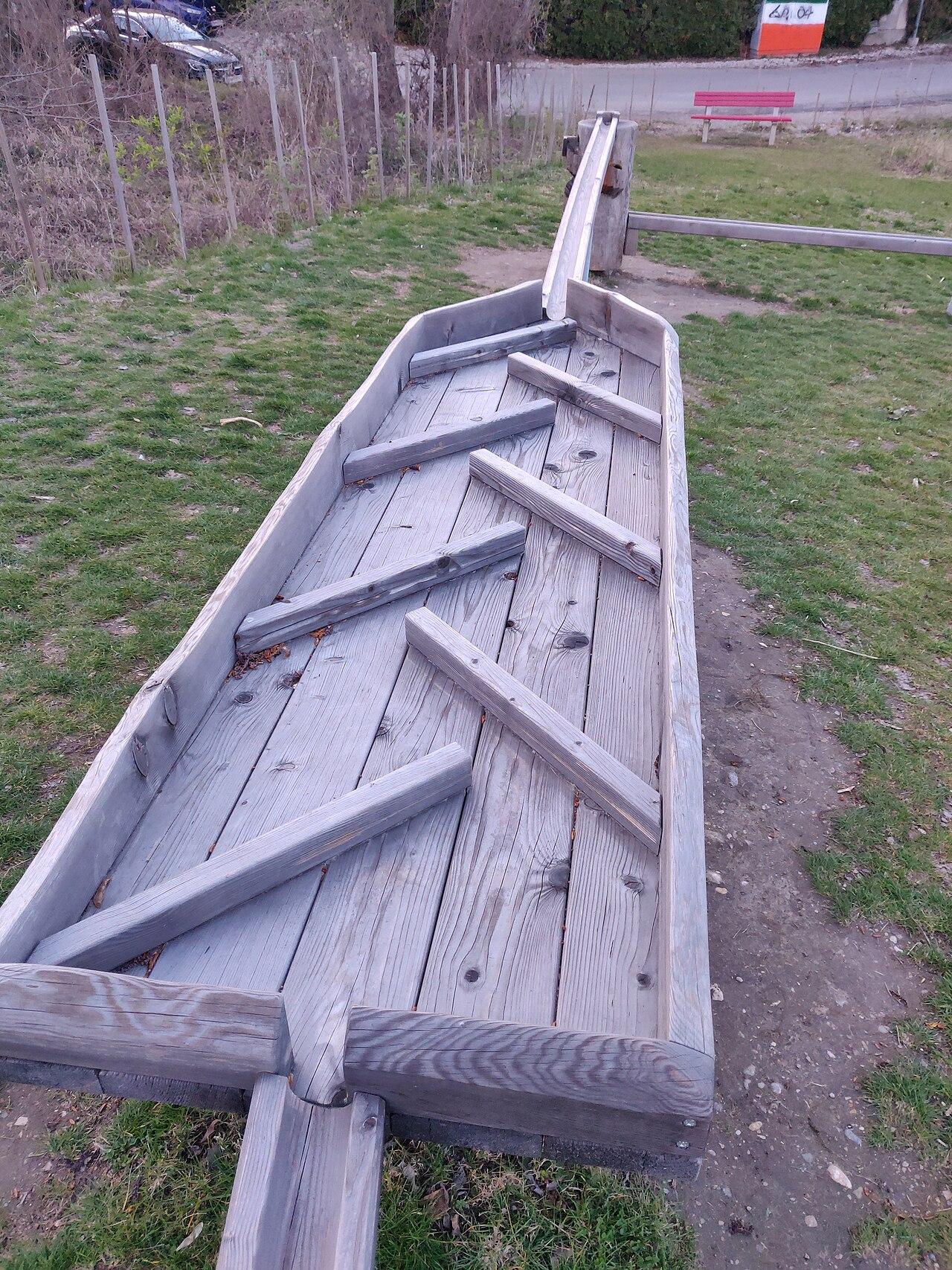
Figure 2. Wooden obstacles arranged along a marble-run installation in Eberich Park.
Photo: GeologistOSM | ccby4.0
There is another side to falling objects. A Galton board sends balls through rows of pegs, where successive deflections spread them among collection bins. It is a familiar demonstration of how many small left-or-right outcomes form a pattern. [4] A guided column, by contrast, gives you a landing place you can predict before releasing anything.
We at slope3.com developed Four In A Row around that satisfying certainty. You choose a column; gravity places your colored disc in the lowest free space. The interesting part is what happens afterward: each fixed disc becomes a support, a possible connection, or a barrier to the other player's plan. Our concept turns a simple downward drop into a back-and-forth contest of building patterns.
Story
Our imagined story begins above a harbor buried in fog. Two signal keepers, Mira and Sol, guard a wall of empty circular cradles. Somewhere below, boats are searching for a safe passage through the rocks. Mira wants to send a clear line of lights to guide them home. Sol worries that a broken or misleading line could send them straight into danger.
They cannot lift a stone back out once it has fallen into the wall. Mira drops a blue stone into the lowest cradle and begins a message that stretches across the harbor. Sol answers with red, closing one gap while quietly building a rising diagonal of his own. Every new stone rests on the ones beneath it. An early choice that looked harmless suddenly decides where the next signal can stand.
As the tide turns, Mira notices that one more blue stone could finish her warning. Sol has just one chance to place a red stone in its path, but blocking her may leave his own line exposed. The two keepers are not racing against a clock. They are racing to make their next choice count. If the wall fills with broken messages, dawn brings an uneasy truce instead of a winner.
Gameplay
In Four In A Row, you and an opponent take turns placing one colored disc in a column of the upright board. Your disc drops to the lowest empty space in that column and stays there. Keep building a horizontal, vertical, or diagonal line of your own color while stopping your opponent from completing theirs. The round ends when someone reaches the selected line length, or when the board fills without a winner.
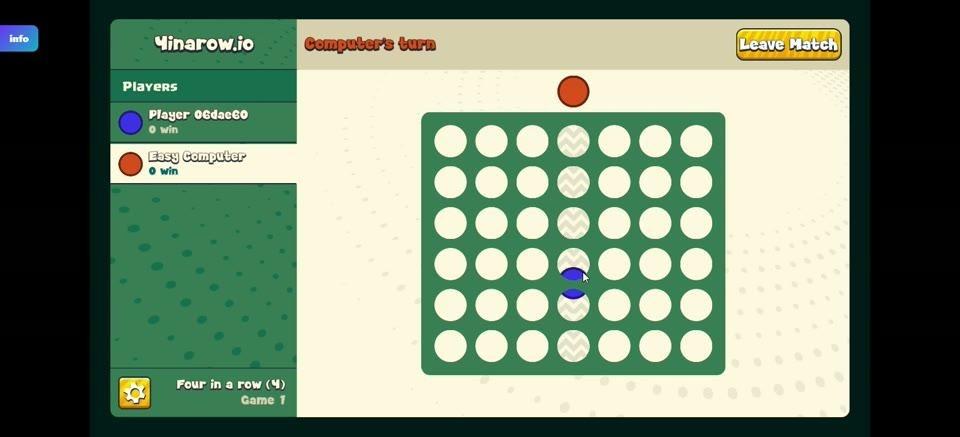
Figure 3. An early round on the green board, with blue and red discs and a turn indicator.
Pick a Match and Set the Rules
The main menu offers three ways to play. Play vs Computer pits you against the computer. Online Player pairs you with a randomly matched online opponent. Two Player connects two people using separate devices on the same Wi-Fi network.
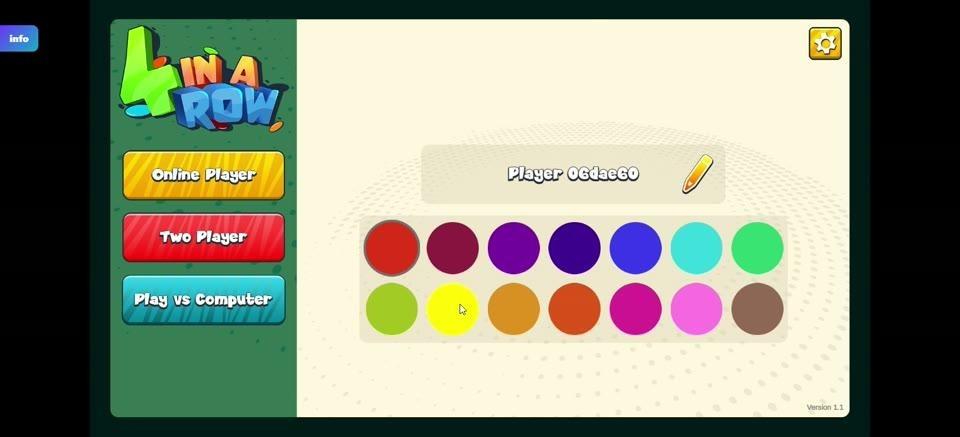
Figure 4. The opening menu with Online Player, Two Player, and Play vs Computer choices.
Before starting a computer match, use the setup screen to choose a 7×6, 9×4, or 9×6 board and a target of three, four, five, or six connected discs. The classic four-disc line is one option, not the only goal. Easy, Normal, and Hard adjust the computer opponent's difficulty; those difficulty choices apply to Play vs Computer. Choose a disc color from the round swatches, edit the displayed name with the pencil beside it if you wish, then select Start. The red back-arrow button returns to the previous screen.
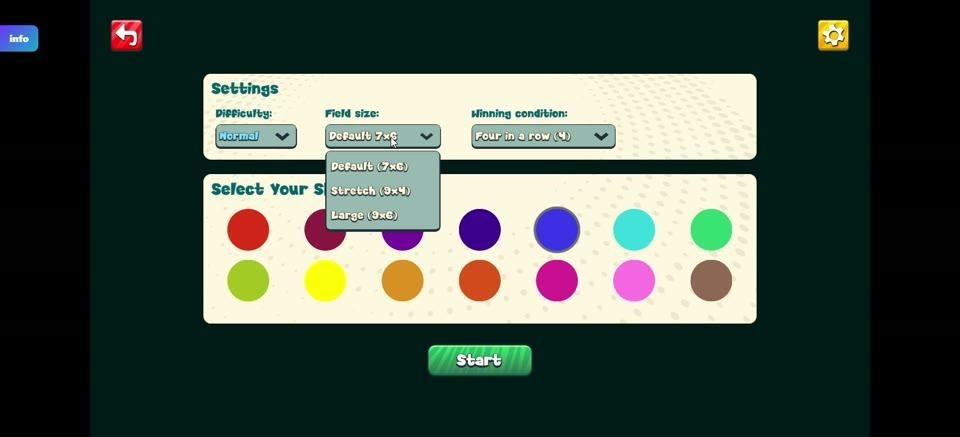
Figure 5. The pre-match setup panel showing board size, winning condition, difficulty, color choices, and Start.
Discs, Spaces, and Turn Indicators
The dark-green board holds neat rows of pale circular spaces. In the demonstrated computer match, your pieces are blue and the computer's are red. The single disc floating above the board previews the column you are about to use. It settles above the discs already in that column, so you must plan for the actual landing space rather than an empty circle higher up.
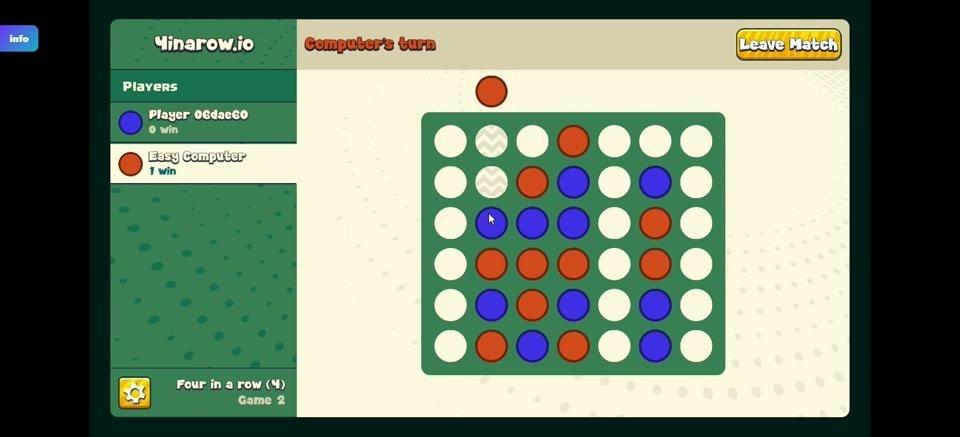
Figure 6. A floating disc previews the selected column above an increasingly occupied board.
The turn label tells you when to act: Your turn is shown for the human player, while Computer's turn marks the computer's move. The Players panel pairs each name with a colored marker and a displayed win total. You get one disc per turn. If you choose a column that is already full, no disc is placed and you keep that turn.
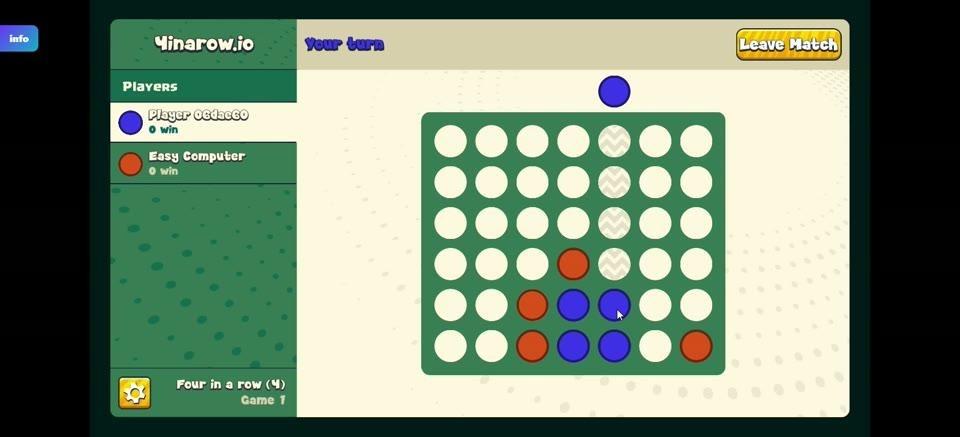
Figure 7. The colored discs, player panel, and turn label during an active match.
Build a Line and Block the Next One
For a simple example, set the target to four. If you have three blue discs side by side on the bottom row, and the next column's bottom space is open, dropping a blue disc there completes four horizontally and wins. If that column already contains a disc at the bottom, your piece lands above it instead. Check the rows below your intended landing spot before counting on a connection.
The same goal works upward in one column or diagonally across neighboring columns. Look for places where a single move will finish your own line, then notice where your opponent could do the same. Because placed discs stay fixed, stopping a threat usually means occupying a critical open position before your opponent can reach it.
Winning, Drawing, and Starting Another Round
The first player to complete the chosen number of same-colored discs in a straight horizontal, vertical, or diagonal line wins that round. A completed line triggers a burst of celebratory particles around the board. The Players panel records wins; win totals are the game's displayed score rather than a separate points or combo system.
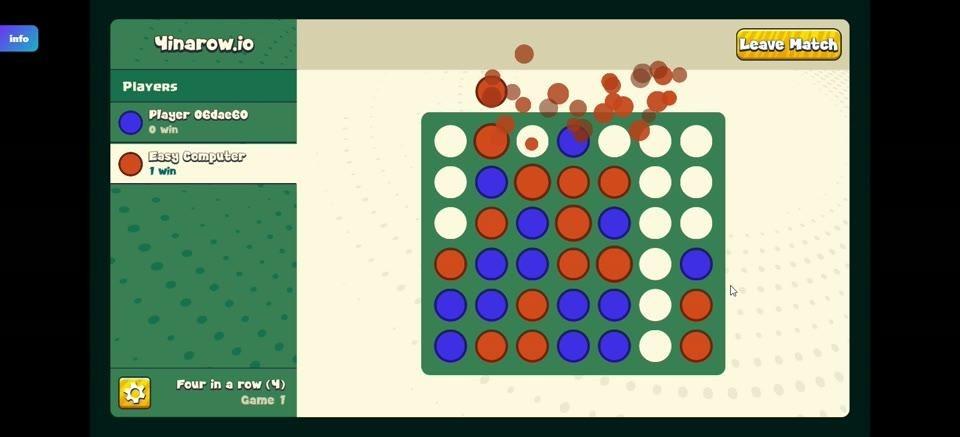
Figure 8. A red winning connection celebrated by small red-orange particles across the board.
If every space is occupied and neither player has completed a winning line, the result is a draw. A draw does not increase either player's win total. Losing ends that round, and watching an advertisement is required before you can play again after a loss. After a win or draw, choose Play Again, New Game, or the corresponding replay option to begin another round; a new round does not start by itself.
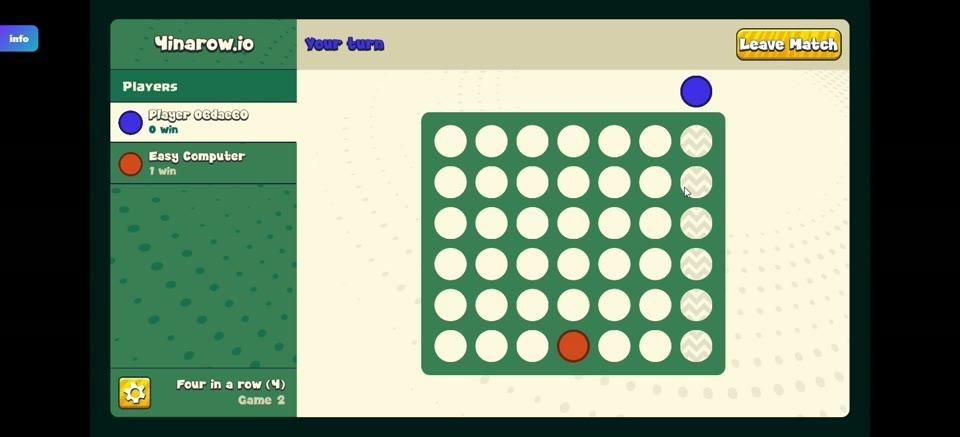
Figure 9. The board at the beginning of another game with the player names and win totals visible.
Leave Match, the yellow button at the top right of a match, abandons the round in progress without changing win totals already recorded. The small blue Info badge near the upper left opens our game menu. The gold settings icon lets you switch music and sound on or off without leaving the match.
Visual Style
We chose a deep-green grid and pale empty spaces so each newly placed disc is easy to spot. Bright blue and red pieces remain distinct as the board grows crowded; rows, columns, and slanting lines stay legible even when only a few openings remain.
The floating placement preview shows where a new move is aimed, while short turn labels and compact win counters keep attention on the board. When a connection wins the round, a scatter of warm-colored particles marks the result without hiding the familiar grid beneath it.
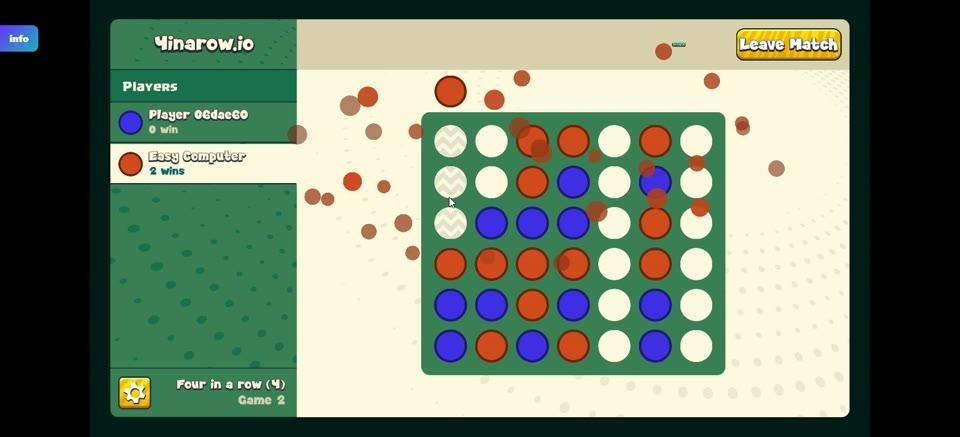
Figure 10. The board during a winning result, with red-orange particles surrounding the connected discs.
Standout Features
Gravity changes what a placement means. You cannot simply choose any empty circle: a column fills from the bottom up, and each disc becomes part of the foundation for later moves. Changing the board dimensions or required line length alters how quickly promising paths open and how much room remains to block them.
The difference is clear beside Gomoku, where players place stones directly onto empty board intersections to make a line, traditionally of five. [5] Four In A Row asks you to choose a column first and accept the lowest open landing spot. You plan your target line and the stack that makes reaching it possible.
Pente also uses lines of stones on a board, but its rules include capturing an opponent's stones. [6] Our contest focuses on discs that stay where they land and on creating or denying a connected line. That makes a seemingly helpful move dangerous when it lifts your opponent's next disc into the perfect position.
You can face an adjustable computer opponent, meet someone through random online matching, or play with a friend on two devices sharing Wi-Fi. Try Four In A Row on slope3.com and see how much can change after a single drop.
Controls
PC
1. Choose a match mode on the menu. For Play vs Computer, select your settings and click Start.
2. Move the mouse over the column where you want your disc; the disc above the board previews that column.
3. Left-click the column to place one disc in its lowest empty space. Clicking a full column places nothing, so it remains your turn.
Mobile
1. Choose a match mode and start the game using the on-screen options.
2. Tap the column where you want your disc. It drops into the lowest empty space; tapping a full column leaves your turn available.
References
[1] Congreve clock. https://en.wikipedia.org/wiki/Congreve_clock
[2] Kinetic art. https://en.wikipedia.org/wiki/Kinetic_art
[3] Rolling ball sculpture. https://en.wikipedia.org/wiki/Rolling_ball_sculpture
[4] Galton board. https://en.wikipedia.org/wiki/Galton_board
[5] Gomoku. https://en.wikipedia.org/wiki/Gomoku
[6] Pente. https://en.wikipedia.org/wiki/Pente
Image Credits
Robert Bryson's rolling ball clock (1804) National Museum of Scotland.jpg — Stephencdickson — ccby-sa4.0. https://commons.wikimedia.org/wiki/File:Robert_Bryson%27s_rolling_ball_clock_(1804)_National_Museum_of_Scotland.jpg License: https://creativecommons.org/licenses/by-sa/4.0
2026-03-30 Kugelbahn-HolzhindernisEberichpark.jpg — GeologistOSM — ccby4.0. https://commons.wikimedia.org/wiki/File:2026-03-30_Kugelbahn-HolzhindernisEberichpark.jpg License: https://creativecommons.org/licenses/by/4.0