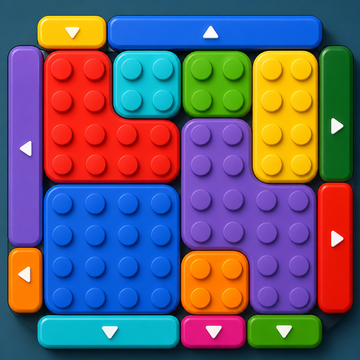
Concept and Inspiration
From a distance, a freight train loaded with shipping containers resembles a moving wall of rectangular blocks. The simple shape has a practical purpose: standardized intermodal containers can travel between ships, railcars, and trucks without having their cargo unpacked at each transfer. Most of the global container fleet consists of closed rectangular boxes for general freight. [1] [2]
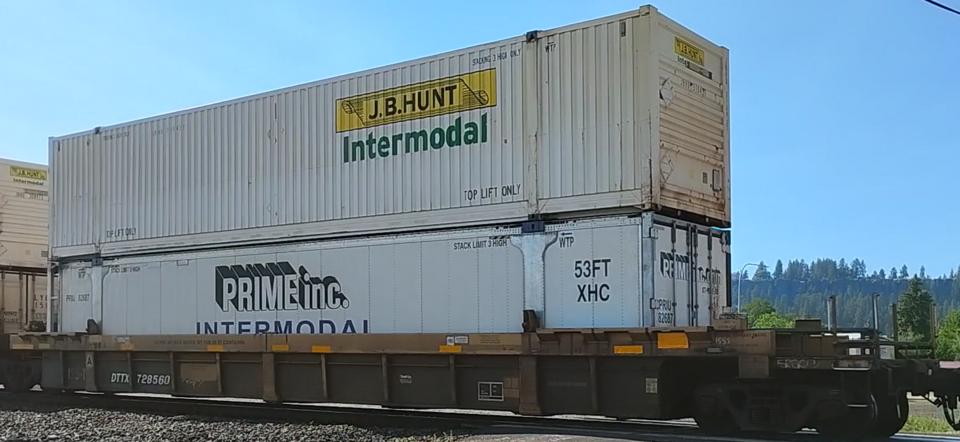
Figure 1. Double-stacked freight containers riding on railcars in Spokane, Washington.
Photo: 298YGH20 | ccby3.0
At a busy container terminal, the same boxes pass between transport systems and may wait in storage before the next leg of their journey. The aerial view of Bremerhaven's terminal makes the scale of those orderly rows easy to grasp. At the working end of the operation, container cranes use spreaders that attach to four locking points on a container. [3] [4]
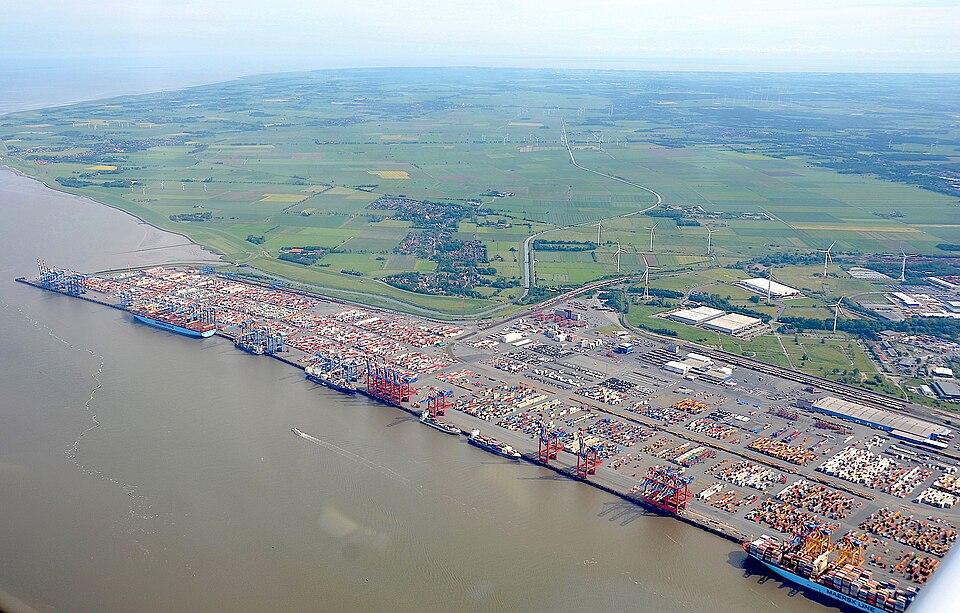
Figure 2. An aerial view of the Bremerhaven container terminal and its rows of freight containers.
Photo: Olga Ernst | ccby-sa4.0
Order becomes crucial when the container you need is hidden behind others. Researchers study the container-relocation problem as a search for retrieval sequences that require as few extra moves as possible. Some approaches use practical shortcut rules to reduce the number of possibilities, while others model the order of pickups alongside the original positions of the boxes. [5] [6] [7]
That real-world tangle of cargo and routes provides the creative spark for Color Block Jam. At slope3.com, we developed our game as a bright, compact version of a jammed dispatch yard: each colored block has somewhere to go, but the route may need clearing first. The grid, movement arrows, and colored edge gates turn the familiar sight of stacked cargo into a puzzle you can solve one careful move at a time.
Story
The lights come on at Lantern Quay just as the last cargo convoy arrives. Beneath the harbor cranes, a small dispatch yard has become a patchwork of yellow, blue, green, purple, and red freight. Every shipment belongs at its own departure gate, yet the lanes have tangled together. The harbor clock keeps ticking, and the night shift has one job: clear the yard before its window closes.
Mira, the quay's young dispatcher, studies the maze from her glass booth. A blue shipment is close to its route, but another load lies across the way. A long red carrier can travel only sideways; a tall purple one has a straight vertical path. She cannot simply push everything toward the nearest opening. Each departure has to make room for the next.
As the yard empties, gaps form between the remaining cargo, and once-impossible routes become inviting lanes. Mira marks another successful departure on her board, knowing that tomorrow's arrivals will be arranged differently. In this playful harbor tale, you take the role of the unseen route planner: make sense of the jam, send each color home, and earn the next clear stretch of dock.
Gameplay
Move the colored blocks across the square-cell board toward matching colored exit gates along its edges. Ordinary blocks can travel horizontally or vertically; blocks marked with arrows can move only in their indicated directions. When a block touches a gate of its own color, it disappears from the board. Keep clearing blocks until none remain, and do it before the TIME countdown reaches zero to finish the level. If time runs out first, that attempt fails and you must replay.
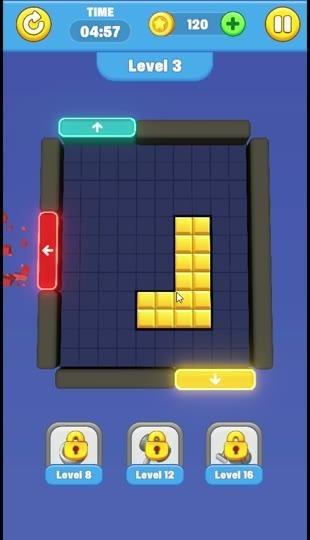
Figure 3. A yellow L-shaped block on a dark square grid, with colored exit gates along the board's edges.
Blocks and Movement Rules
The pieces are made from joined square tiles. Some form short bars or rectangles; others bend into stepped shapes. They come in clear, contrasting colors such as yellow, blue, green, orange-red, cyan, and purple. You move a whole connected piece at once, so its shape matters when you look for a route.
A small white left-right arrow on a horizontal bar restricts it to sideways travel; an up-down arrow on a tall piece restricts it to vertical travel. Unmarked blocks have both axes available. Other pieces stop your movement when they are in the way, and blocks cannot overlap. A mismatched gate does not remove a piece.
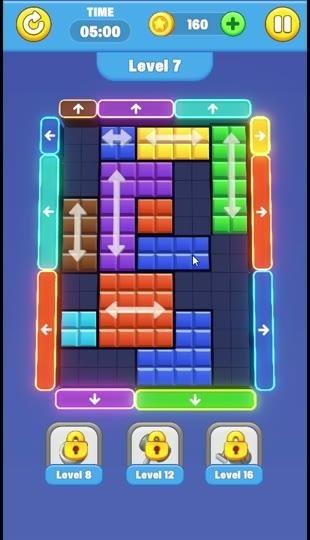
Figure 4. A crowded level showing both sideways-arrow and up-down-arrow blocks among the other colored pieces.
Gates, Walls, and a Sample Move
Glowing colored gates interrupt the thick charcoal border around the board. Only the corresponding color can leave through a gate; the dark wall sections close off the rest of the perimeter. Gate positions change between levels, so a route that worked before may not work on the next board. White arrows on the gates indicate the outward exit direction.
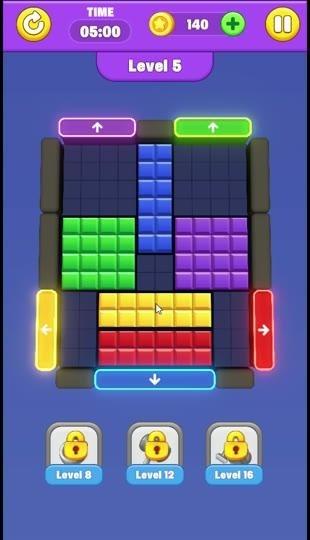
Figure 5. Colored openings break up the dark perimeter walls around a puzzle grid.
For example, find a blue block and its blue edge gate. If another piece lies along the route, move that piece out of the way first using its permitted direction. Then guide the blue block through open cells until it touches the blue gate. The blue piece vanishes, leaving extra space to work with for the next departure.
Level Success, Rewards, and Failure
You complete a level by removing every block before the timer expires. That success earns coins and unlocks the next level; cleared levels can be chosen again from the level-selection tiles below the board once they are available. Higher levels award more coins, and finishing faster increases the coin reward. Color Block Jam does not use a separate points or star score.
A blocked-looking board is still a puzzle to work through; the confirmed failure trigger is the countdown reaching zero. If it does, the level ends in failure and must be replayed. Restarting restores the block layout and the timer, while coins already earned and levels already unlocked remain available. The same reset applies when retrying after a loss. Clear every available level to reach the game's final completion.
Useful Buttons and Time Support
The top bar displays the level number, the TIME countdown, and your coin total. A yellow circular-arrow button at the upper left restarts the current board. Locked level tiles below the playfield show which later puzzles are still waiting for completion of earlier ones. A small green plus beside the coins provides a way to get additional coins by watching an optional video; coins can be spent on support items.
In later levels, a pale-blue target-like button beneath the grid offers a time-freeze aid. Purchasing the aid costs coins, and using it pauses the countdown for 10 seconds. You may use the aid more than once, but each use consumes another support item. It is a useful breathing space when you need to open one more lane.
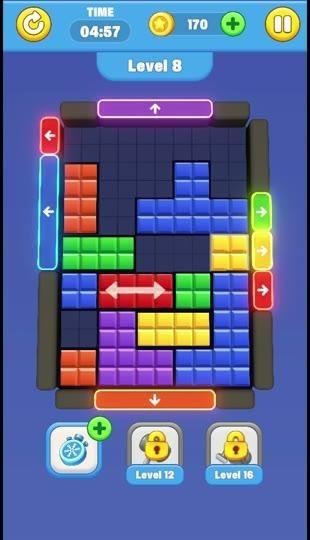
Figure 6. A later puzzle with the countdown overhead and the pale-blue time-freeze helper beneath the board.
The yellow pause button in the upper right opens a panel for Music, Sound, and Vibration settings. The panel also has a green Home button and a pink X. Pausing temporarily holds the attempt; closing the panel with X resumes the level and countdown. Home returns you to the main area and discards your progress on the current unfinished board.
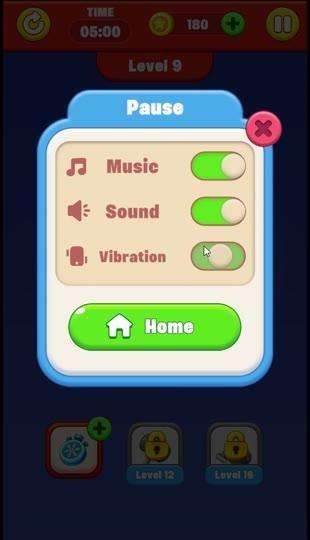
Figure 7. The Pause panel with independent Music, Sound, and Vibration switches, a Home button, and a close X.
Visual Style
Our board uses a deep navy grid, which helps the bright cargo-like pieces stand apart at a glance. Each block is built from visible square units, and the different lengths and stepped outlines make it easier to recognize the pieces you need to move. Color is both a playful visual choice and an immediate clue: a block and its destination share the same hue.
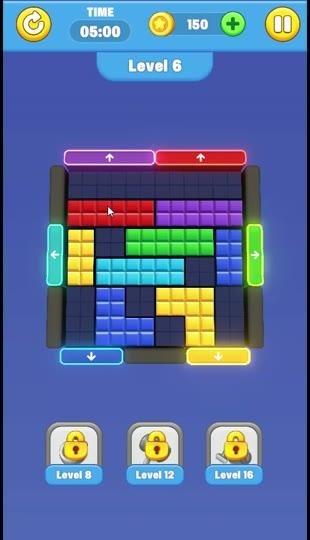
Figure 8. Bright blue, yellow, green, and warm-toned pieces arranged as bars and other shapes on the dark grid.
Thick dark walls give the board a firm boundary, while glowing gate colors point to the places where pieces can leave. Simple white arrows distinguish blocks with restricted movement from those that can slide both ways. Above and below the grid, rounded buttons, a large countdown, the coin display, and small locked-level panels keep the main puzzle easy to read.
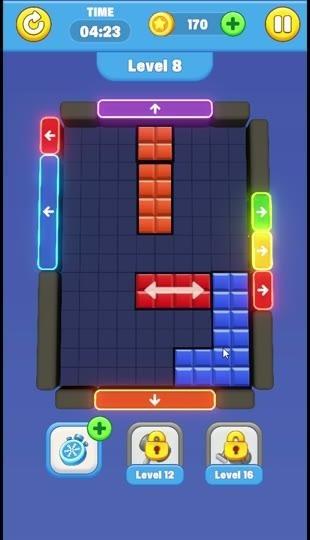
Figure 9. A later level with color-coded gates, direction-marked pieces, and the surrounding game interface.
Standout Features
Every piece has an exit to reach. Removing one block permanently opens cells for the remaining blocks, so the puzzle changes after each successful departure. The satisfying part is spotting which move clears the route for another, especially when several colors compete for the same limited space.
Arrow-marked pieces change the plan. A horizontal bar cannot simply be pushed upward to get out of the way, and a vertical bar cannot slide sideways. Together with the solid border and shifting gate locations, these restrictions make a new arrangement of the same familiar colors feel like a fresh challenge.
The countdown gives each level a clear finish line, while coin rewards, unlockable levels, and the purchasable 10-second freeze offer reasons to keep playing. Try Color Block Jam on slope3.com and see how many colorful departures you can arrange before the clock runs out.
Controls
PC: Mouse
1. Find a colored block on the grid. Press and hold the left mouse button on that block.
2. While holding the button, drag the block along a clear route. Ordinary blocks can move horizontally or vertically; follow the arrow direction on restricted blocks. Other blocks and nonmatching exits block the route.
3. Release the left mouse button to place the block. If it reaches the matching colored edge gate, it disappears from the board.
Mobile: Touchscreen
1. Touch a colored block on the board and keep your finger on it.
2. Drag the block toward its matching gate through available cells, following any arrow restriction. You cannot move a block through another piece or use a gate of the wrong color.
3. Lift your finger to release the block. When the block touches the correct colored gate, it leaves the board.
References
[1] Containerization. https://en.wikipedia.org/wiki/Containerization
[2] Intermodal container. https://en.wikipedia.org/wiki/Intermodal_container
[3] Container port. https://en.wikipedia.org/wiki/Container_port
[4] Container crane. https://en.wikipedia.org/wiki/Container_crane
[5] Path Optimum Algorithm for Container Relocation Problems in Port Terminals Worldwide. https://doi.org/10.2112/jcoastres-d-16-00195.1
[6] An Improved Path Optimum Algorithm for Container Relocation Problems in Port Terminals Worldwide. https://doi.org/10.2112/jcoastres-d-17-00056.1
[7] Optimizing Container Reshuffle Operations in Container Yards Based on Dynamic Programming. https://doi.org/10.4028/www.scientific.net/amm.556-562.5972
Image Credits
Freight Train Cars and Containers, Spokane - 2.png — 298YGH20 — ccby3.0. https://commons.wikimedia.org/wiki/File:Freight_Train_Cars_and_Containers,_Spokane_-_2.png License: https://creativecommons.org/licenses/by/3.0
Container-Terminal Bremehaven (2019).jpg — Olga Ernst — ccby-sa4.0. https://commons.wikimedia.org/wiki/File:Container-Terminal_Bremehaven_(2019).jpg License: https://creativecommons.org/licenses/by-sa/4.0