Concept and Inspiration
A dark stage can become an entire world with a few carefully placed structures and a beam of light. In theater, scenography brings together the materials and techniques that create an environment for a performance, including scenery, lighting, sound, and costume. It shapes the place in which an action unfolds, even before a performer takes a step. [1]
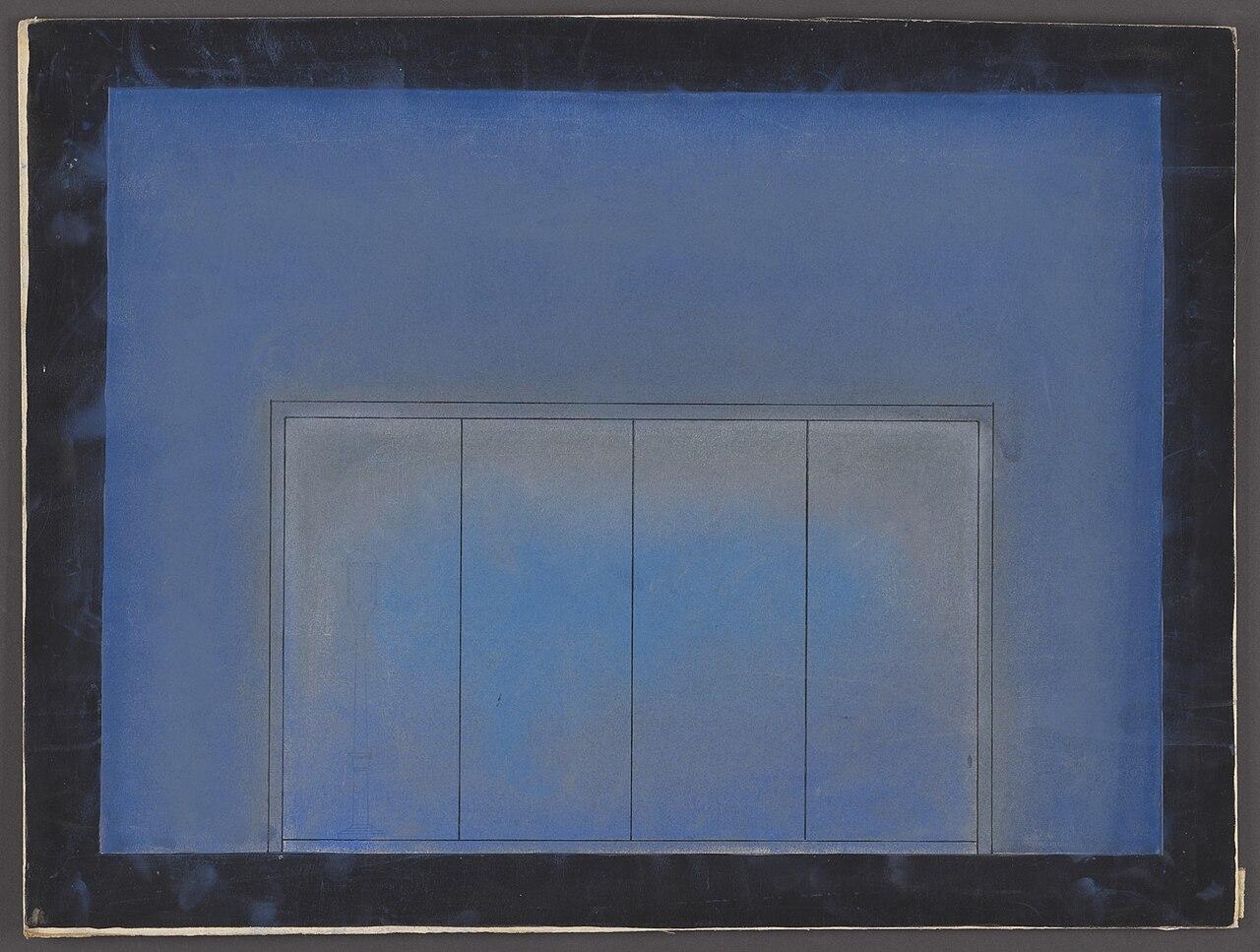
Figure 1. An archival theater set-design drawing with large architectural portals.
Photo: Federal Theatre Project "Ed Schruers" is written on the reverse side. Edwin J. Schreurs (1903-1994) was credited for costume and set design for this production and others presented by the Federal Theatre Project. | publicdomain
A set is more than a painted wall behind the actors. Scenic design creates the physical surroundings for plays and musicals, and designers can help determine where performers move and how a scene feels and unfolds. [2] Look at the tall portals in the accompanying historical stage sketch: the shapes suggest entrances, layers, and routes through a space, all before the set has been brought to life by its performers.
Theater's use of space and light has a long intellectual history. Adolphe Appia, a Swiss architect and theorist, worked in the fields of stage lighting and décor. [3] Today, stage lighting is its own craft across theater, dance, opera, and other live performances. [4] Its tools are practical, but the experience can feel magical: one bright edge can pull an object out of darkness and tell an audience where to look.
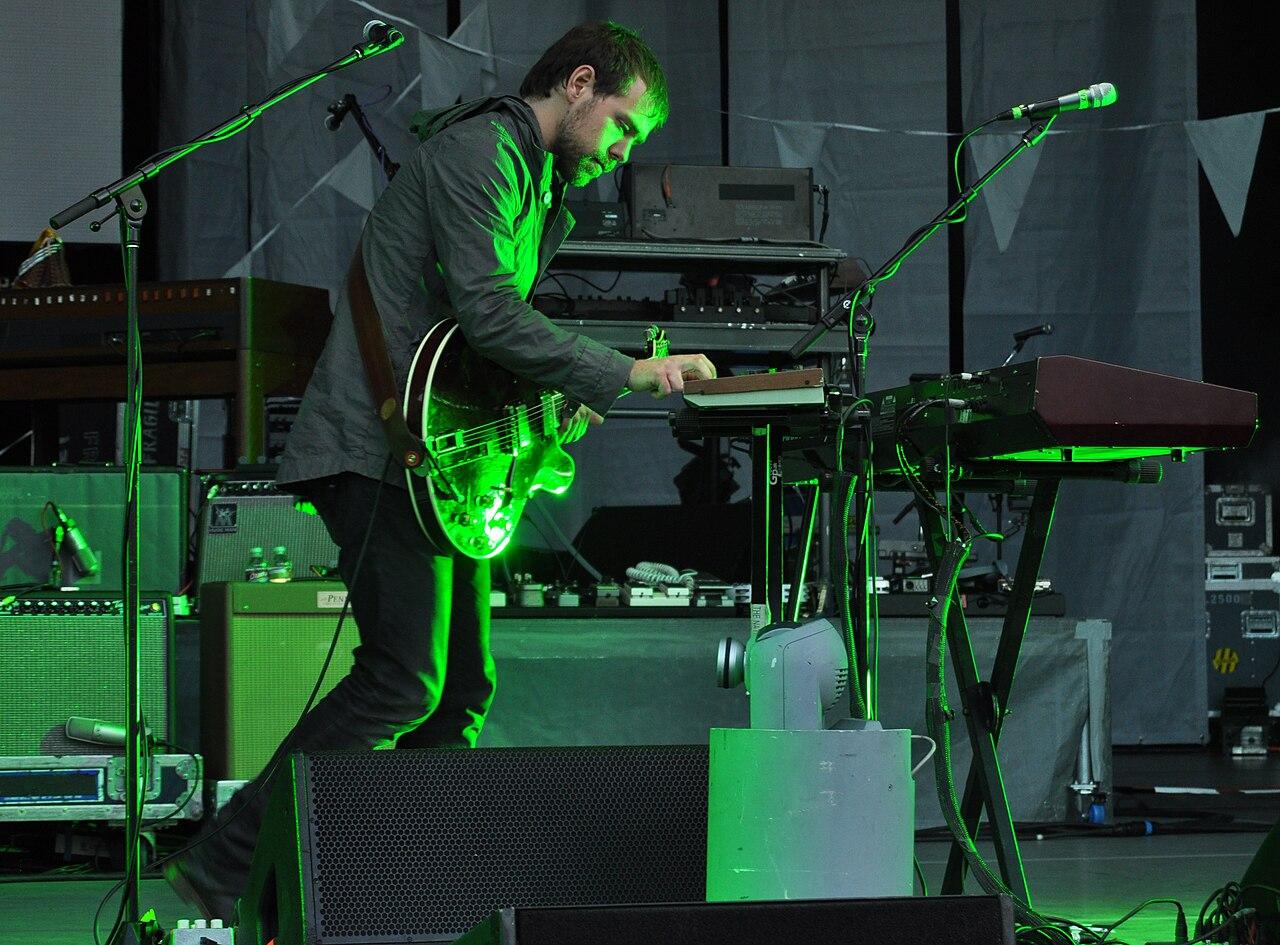
Figure 2. Musical instruments and performance equipment illuminated by green light at a concert.
Photo: Ian T. McFarland from Los Angeles, USA | ccby-sa2.0
Researchers have explored the same idea from several angles. One study examines how illumination communicates and helps tell a story during a production of Twelve Angry Men. [5] A separate investigation of virtual-world storytelling considers color, contrast, and selected lighting as ways to guide attention. [6] Research on a staged production also describes lighting that emphasizes the progression of dramatic events. [7] Across these examples, light helps make the next important moment visible.
At Slope3, we developed Geometry Dash Lite around a similarly readable little performance space. Our bright-green square is the performer; fixed violet brick platforms form a succession of stages; white and magenta spikes cut sharp boundaries through the darkness. We chose pale platform edges and small downward arrows so the next landing stands out against the shadowy set. The collectible key and finish door give the crossing a final scene change: one successful run opens the way to the next level.
Story
The last theater in a sleeping city has gone dark. Its orchestra is silent, its curtains hang still, and its grand stage has broken into floating pieces of violet masonry. Only one small green square remains to play the final part. No crown, no sword, no grand speech—just a bright outline moving toward the next patch of light.
The square's journey begins on a plain floor, where white points interrupt an otherwise easy path. Higher up, narrow columns rise between banks of pink spikes. Black, watchful shapes wait beside the bricks. Old chains dangle from ledges that seem to belong to a forgotten set, while magenta markers point toward the tiny places a daring performer might land. Each leap is another cue in a show that refuses to end quietly.
Some performances go wrong. The square meets a sharp point, the scene falls apart, and the first stretch of the theater waits for another attempt. Yet the route becomes more familiar each time: a short jump here, a careful landing there, one more enemy left behind. Then a green key glows ahead, the little object that can unlock the next chamber. Reaching the final door with it feels like raising the curtain again. Beyond that doorway is another act, another stretch of darkness, and another chance to keep the theater alive.
Gameplay
Your neon-green square moves forward automatically. Make it jump over white spikes, magenta spike beds, and stationary black enemies, then land on safe floors, raised brick walls, or narrow columns to keep going. Touch the green key to collect it and reach the finish door to open the next level. Hitting a spike or enemy ends that attempt; the course restarts from the beginning and the ATTEMPT number increases. That is the loop: jump, land, learn the route, and try again until you reach the door with the key.
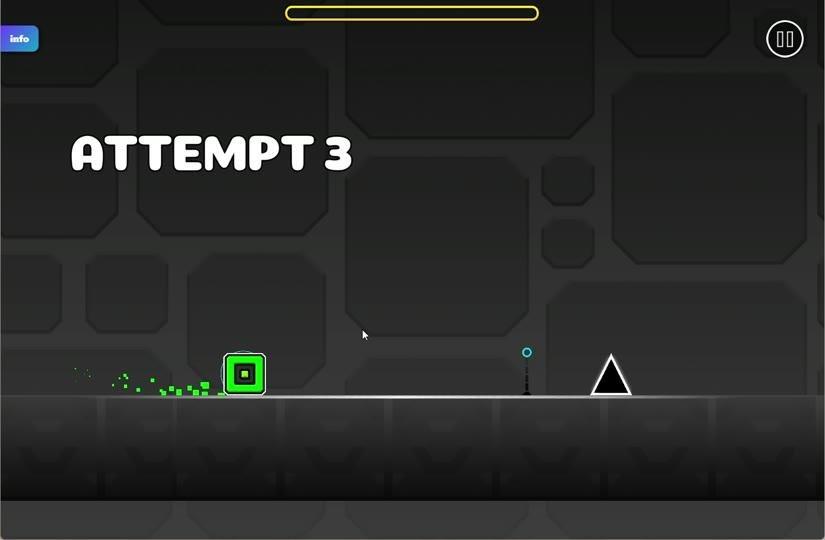
Figure 3. The green square begins another attempt on a dark course lined with white triangular spikes.
The Square and Its Route
The player character is simply the square: a small green outline around a darker center. It tilts into a diamond shape while airborne and leaves tiny green particles behind as it travels. The broad charcoal floor, marked by a thin pale upper edge, gives you the easiest landing surface. Low violet brick strips continue that route, while raised walls ask you to clear a change in height. The square keeps advancing after a safe landing, so the next jump soon matters.
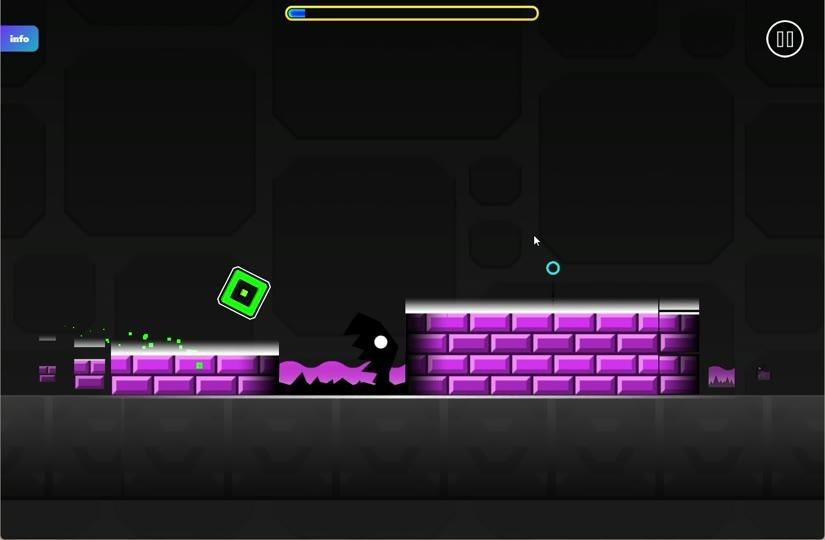
Figure 4. The green square crosses a low purple-brick section beneath raised walls and dark enemy shapes.
Spikes, Enemies, and Safe Surfaces
White spikes have clean triangular outlines and appear alone, in pairs, or in larger groups. The magenta spike beds form longer stretches of pointed hazards, often packed between narrow landing columns. Both colors have the same dangerous result: contact ends your attempt. The little black creatures, recognizable by their jagged silhouettes and bright eye-like marks, remain in place and also end a run when the square touches them.
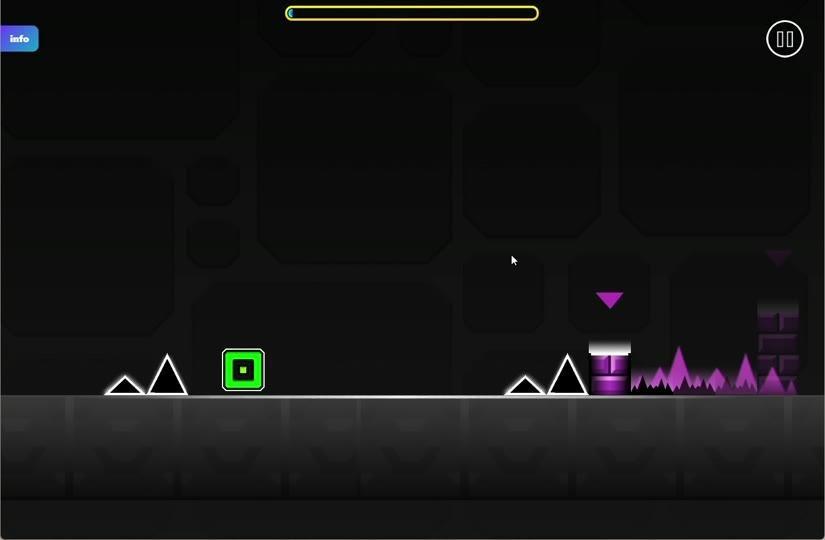
Figure 5. Narrow violet columns rise among clusters of white and magenta spikes.
Not every pink surface is a spike. The low, wavy magenta strips alongside some structures are traversable wall sections. Their soft, rippling edges distinguish them from the clearly pointed spike beds. A useful first example is to let the square run along an ordinary floor, jump before a white spike, and land on a safe purple-brick top. As soon as the square continues forward, read the next shape: a pointed tip means danger, while a flat, capped column offers a place to land.
Columns, Ledges, and Direction Markers
Tall and short violet columns have pale flat caps that can support the square. Some stand between dangerous spike beds, turning a long crossing into a series of small landing decisions. Small downward-pointing magenta triangles above selected columns mark places to aim for. Wider purple brick walls are also traversable on top. Overhead, fixed brick ledges provide another raised surface, although some carry white spikes of their own. Thin hanging chains beside the ledges stay still; they are part of the scenery rather than moving platforms.
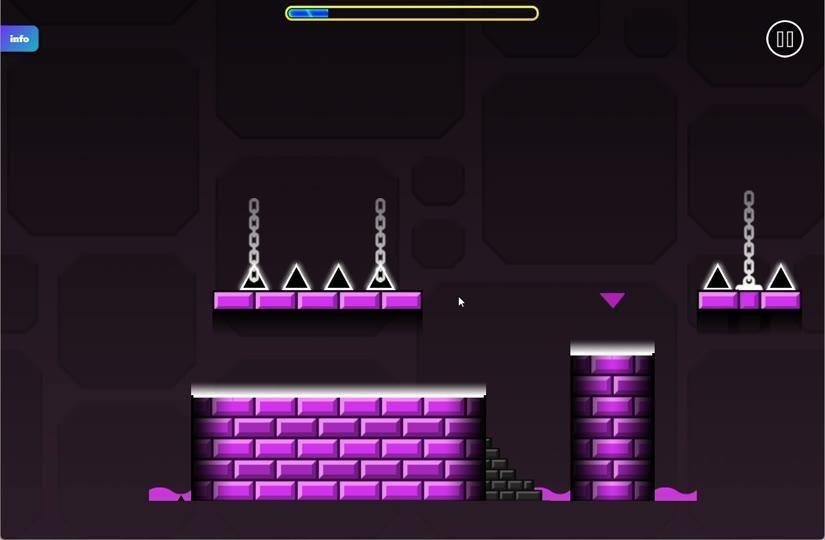
Figure 6. A raised brick course combines suspended ledges, hanging chains, and narrow landing surfaces.
The Key, Victory, and Another Attempt
A small green key appears along the route, with a turquoise burst associated with the item. Bring the square into contact with the key to collect it. Once you carry it to the finish, the door opens the next level. Completion brings a victory effect, a level-finish sound, and a results screen. That door is the goal of a finite course; reaching it is a genuine level completion, rather than merely surviving for as long as possible.
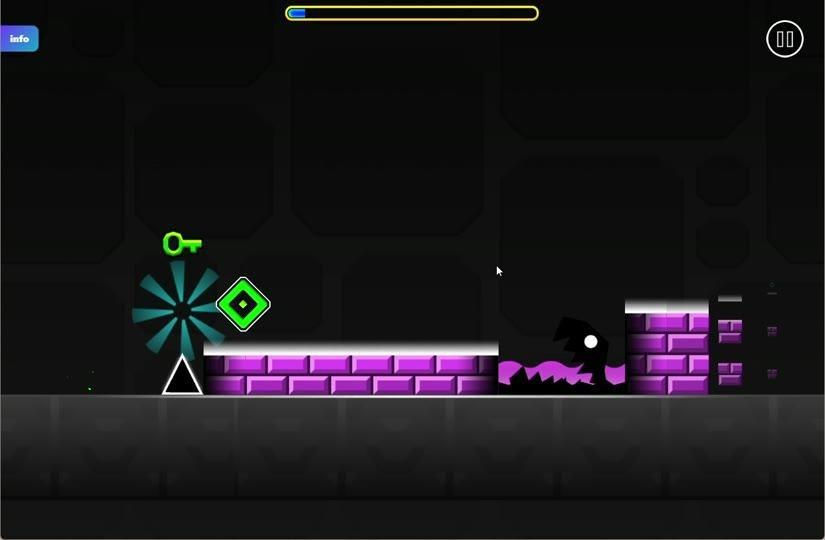
Figure 7. The green collectible key appears beside the square with a turquoise burst near raised violet bricks.
A collision with either kind of spike or a black enemy loses the current attempt and sends play back to the start. The large white ATTEMPT label tracks another try, so you can see the count rise as you practice the same course. Successful traversal earns the next level through the key and door; the interface's narrow yellow-rimmed, blue-filled bar remains visible overhead as you play.
On-Screen Buttons
A small circular button with two pause bars sits in the upper-right corner and pauses the game. The blue info tab at the upper-left opens the Slope3 game menu. An advertisement may temporarily cover the course with a dark overlay and a bright green CLOSE control near the lower center; that overlay is separate from the level's obstacles and platforms.
Visual Style
We set vivid geometric pieces against nearly black, beveled panels. The player square shines green; brick surfaces glow violet; the route's upper edges are picked out in white. This makes the basic question easier to answer at a glance: which shape can carry the square, and which sharp shape must it avoid? Small green trailing particles keep the moving character distinct from the still backdrop.
The stage changes height without losing its visual rules. Thin columns, wide masonry walls, and stationary suspended platforms share the same purple-brick look, while spikes keep their pointed white or pink outlines. Chains hang as quiet set dressing, and the magenta arrows above certain columns add an unmistakable directional cue. Even with several objects on screen, the contrast keeps the next landing readable.
Standout Features
The course asks you to do one thing well—time a jump—but changes what that one jump must accomplish. A solitary spike requires a quick clear; a group of spikes asks you to think about the entire stretch; a slim landing column leaves little room before the next obstacle. The stationary black enemies add a different silhouette to recognize, and the downward markers help you pick out usable columns amid the hazards.
The finish also gives the challenge a clear destination. Collecting a green key and reaching a door turns a run through obstacles into a journey toward the next level. For a point of comparison, BIT.TRIP RUNNER is known as an arcade-style rhythm game. [8] Our version of Geometry Dash Lite centers its challenge on an automatically moving square, fixed landing surfaces, contact hazards, and the key that opens the next stage.
Each restart gives you another chance to recognize the same obstacle sequence and place a jump more precisely. Follow the green square onto the glowing set and see whether you can reach the next curtain call in Geometry Dash Lite on Slope3.
Controls
PC
1. As the square moves forward on its own, press Space, press the Up Arrow, or click the left mouse button to make it jump over an approaching obstacle.
Mobile
1. As the square advances automatically, tap the screen to make it jump over spikes or toward the next safe landing.
References
[1] Scenography. https://en.wikipedia.org/wiki/Scenography
[2] Scenic design. https://en.wikipedia.org/wiki/Scenic_design
[3] Adolphe Appia. https://en.wikipedia.org/wiki/Adolphe_Appia
[4] Stage lighting. https://en.wikipedia.org/wiki/Stage_lighting
[5] Lighting as facilitator of the theatrical transaction. https://doi.org/10.52086/001c.27103
[6] Adapting Cinematic and Theatrical Lighting to Virtual Reality Storytelling. https://openalex.org/W2742004672
[7] Utilizing Lighting and Interior Design Elements to Enhance Visual and Functional Interaction in Theatrical Performances An Applied Study on the Play "Million Mabrouk". https://doi.org/10.21608/jdsaa.2025.375328.1458
[8] Bit.Trip Runner. https://en.wikipedia.org/wiki/Bit.Trip_Runner
Image Credits
Cradle Will Rock set design sketch portal 2.jpg — Federal Theatre Project "Ed Schruers" is written on the reverse side. Edwin J. Schreurs (1903–1994) was credited for costume and set design for this production and others presented by the Federal Theatre Project. — publicdomain. https://commons.wikimedia.org/wiki/File:Cradle_Will_Rock_set_design_sketch_portal_2.jpg
Instruments (2011-04-20 by Ian T. McFarland).jpg — Ian T. McFarland from Los Angeles, USA — ccby-sa2.0. https://commons.wikimedia.org/wiki/File:Instruments_(2011-04-20_by_Ian_T._McFarland).jpg License: https://creativecommons.org/licenses/by-sa/2.0