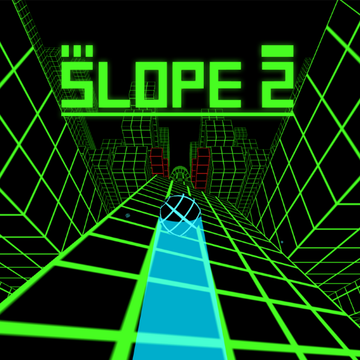
Concept and Inspiration
Drive along a winding road after dark and the smallest details start doing important work. A reflective arrow tells you where the bend goes. The edge of the pavement marks how much room you have. As you move, nearby signs rush past while the road ahead keeps unfolding. This changing pattern of the scene is related to optic flow: the apparent movement of surfaces and edges when an observer moves relative to the world. [1]
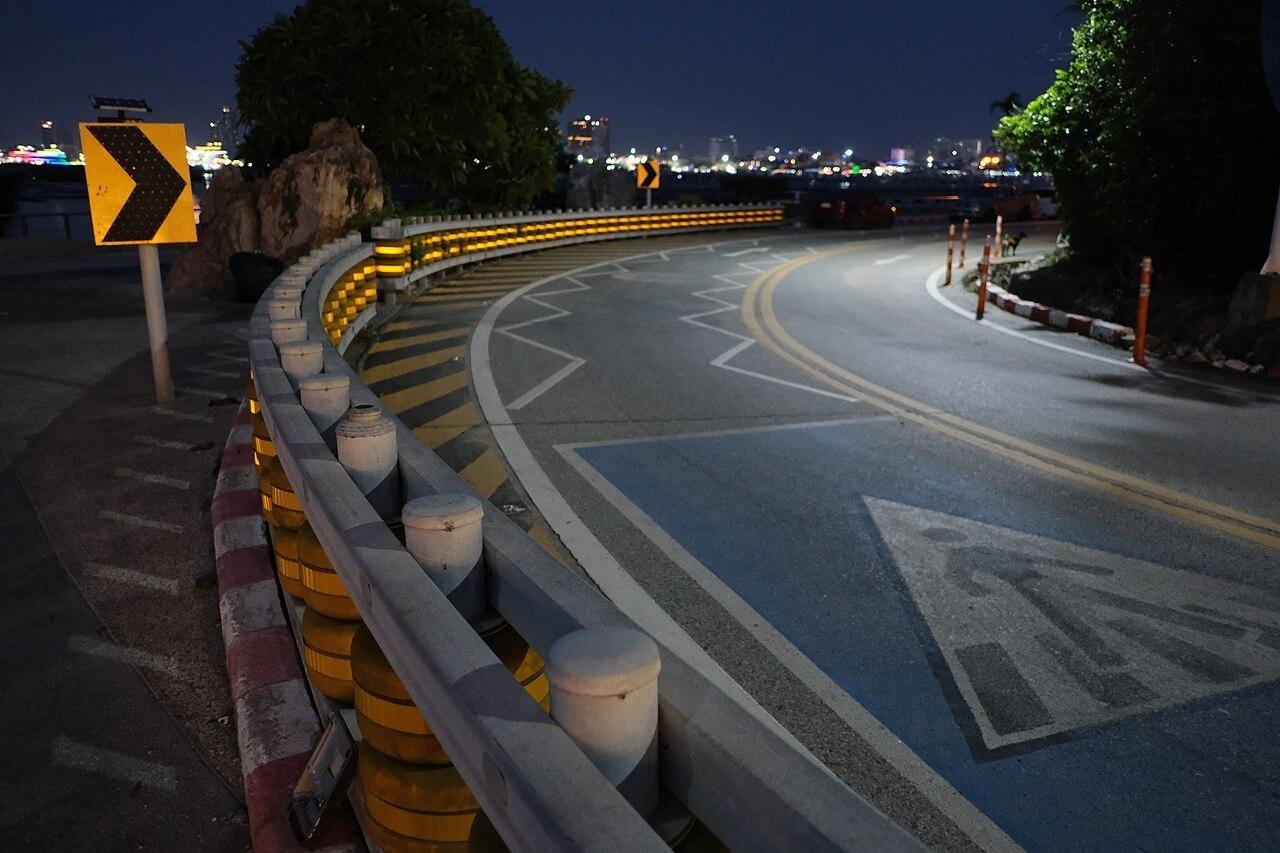
Figure 1. A lit road curves past striped barriers and reflective turn signs above a city at night.
Photo: PattayaPatrol | ccby-sa4.0
Even a still view can make that sense of direction easy to picture. Look down an empty escalator: its ridged steps repeat into the distance, while the handrails lead your eye toward the floor below. Once you start moving through a setting, the apparent positions of objects shift with your viewpoint. That change is called parallax, and nearby objects generally show a larger shift than distant ones. [2]
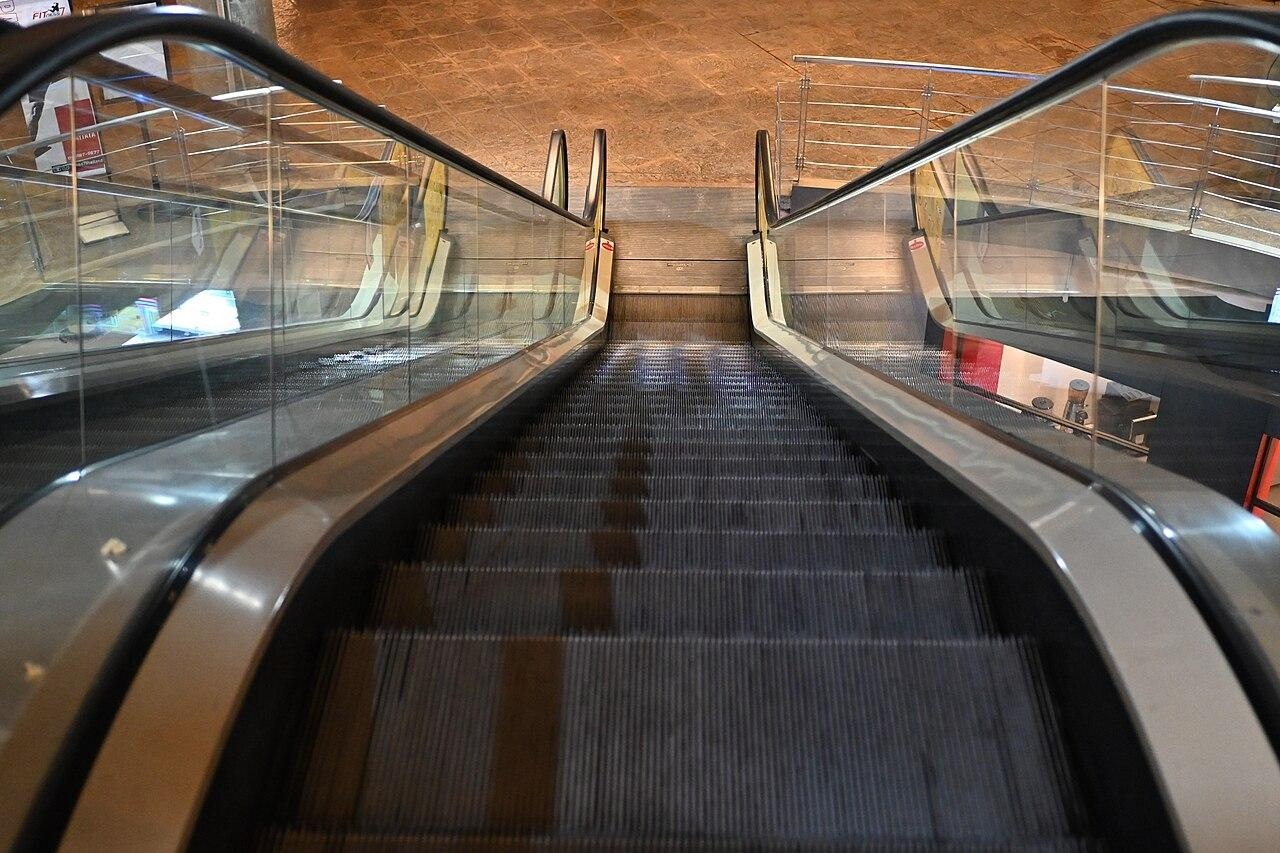
Figure 2. The repeating steps and parallel handrails of an empty escalator lead toward a lower floor.
Photo: PattayaPatrol | ccby-sa4.0
Scientists have studied these moving visual patterns for decades. Modern work on optic flow developed in part from research into pilots' vision during World War II, especially the challenge of judging movement while landing. Psychologist James J. Gibson gave the idea an influential account in 1947 and introduced the term 'optic flow' in 1950. [1] Gibson also argued that perceiving the surrounding environment is central to how people understand and act in the world. [3] Aviation offers a practical reminder of the stakes: misleading visual cues can leave a pilot disoriented or cause errors in judging height. [4]
Later research explored how the amount and movement of visible scenery affect the feeling of speed. In experiments using moving dot patterns, participants reported greater perceived self-motion speed when the stimulus covered more of their visual field; faster average image motion also increased perceived speed. [5] A separate account of walking proposed that the flow of the visual world can help specify a path ahead and provide information about approaching obstacles. [6] These findings concern human perception, but they offer a fascinating way to think about why an approaching route can feel faster and tighter as its markers stream by.
Research on natural walking adds another detail: when people fix their gaze on a stable point, the pattern of image motion around that point can carry information about their direction of travel. [7] You can imagine that information coming from streetlights, lane markings, or the edges of a corridor. Their positions matter because the world is moving past your eyes even when your attention stays on the path ahead.
That everyday skill of reading motion gives us a playful creative concept for Slope2, the endless ball runner we developed for Slope3. We turned the road into a floating lattice of yellow light, the skyline into receding wireframe towers, and the traveler into a small striped ball. The grid makes each stretch of forward movement visible. As the route narrows and the pace rises, your eye has to find the next safe strip of track before it slips beneath you.
Story
Imagine a city called Lumen Reach, suspended high above a silent, lightless void. At night its streets shine like delicate threads between enormous towers. From her observation room, a young map keeper named Iona watches those threads disappear one by one. A darkness is creeping through the districts, and the last message that could reconnect them must travel along the city's remaining glowing roads.
The messenger is a little black sphere banded with vivid green light. Once released, it rolls onward, faster with every passing stretch. Iona follows its route from above, watching the towers slide behind it and guessing where the next sliver of roadway will emerge. Red barricades block some approaches. Other roads end abruptly over the dark. A shining cyan gem on a distant span is a welcome glimmer, but reaching for it could put the messenger dangerously close to an edge.
At the far end of one bridge, the glowing lines seem to vanish. Then another narrow path appears through the haze. The orb must meet that path precisely; one careless turn would send it into the abyss. Iona cannot stop the city from rushing past, so she learns to read its movement instead: the widening spaces between nearby markers, the slim outline of a safe landing, the bright warning of a barrier ahead. The message has no promised final destination. For as long as the little messenger keeps rolling, another part of Lumen Reach may still be reached.
Gameplay
You guide a glossy black ball with bright green stripes as it rolls forward automatically and gradually picks up speed. Steer across the suspended neon-grid track to collect cyan diamonds while keeping clear of red barriers and unguarded edges. A dangerous collision or a fall ends the run. Your goal is to travel farther, gather diamonds, and beat your previous best distance; Slope2 has no final finish line.
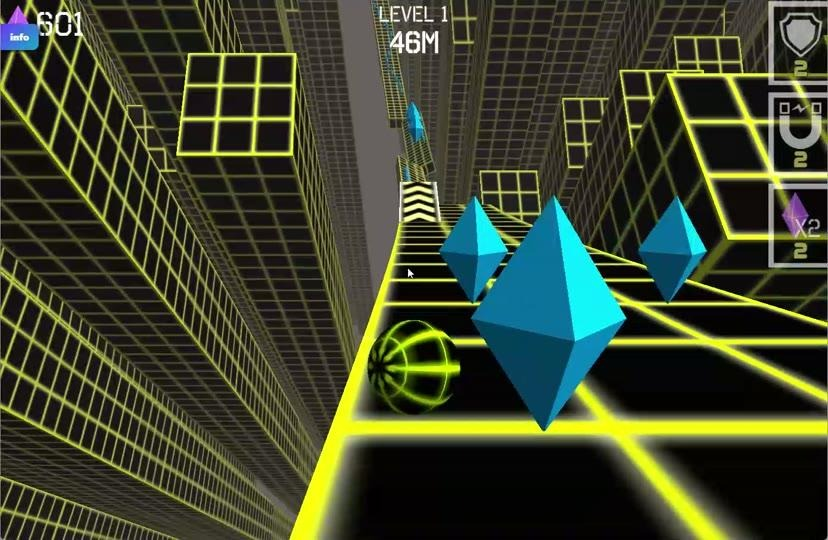
Figure 3. The striped ball rolls along a bright grid roadway between tall wireframe city towers.
The Ball, the Road, and the Hazards
The ball runs along broad black platforms traced with glowing yellow squares, but the road soon tightens into thin elevated strips. There are no guardrails to rescue a wide turn. Keep the ball over the path as it bends, narrows, or breaks into separated sections. You can still steer while airborne; to survive, the ball has to land back on the running track.
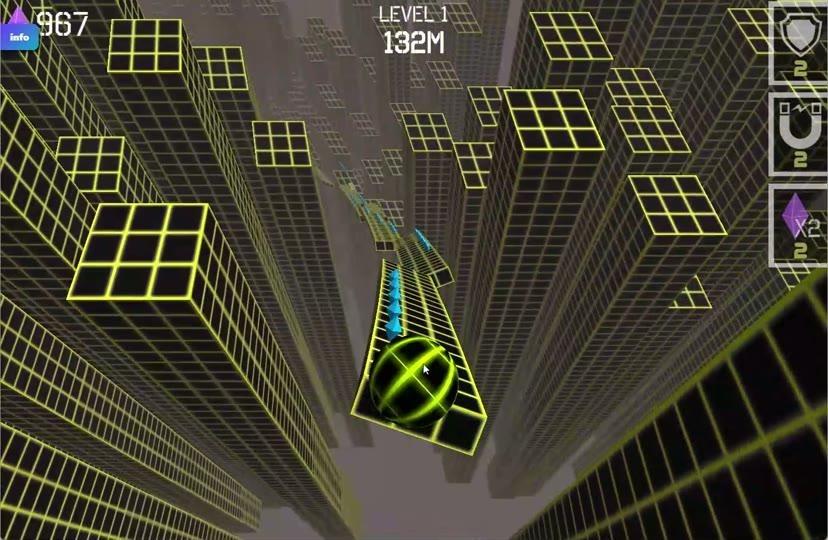
Figure 4. A thin elevated section of the glowing track leaves little room beside the drop.
Dark red bars and angular barriers are the clear danger signs. If the ball hits one without protection, the run ends. The route also includes a dark panel with forward-pointing pale chevrons and a large yellow-rimmed arch that marks the way ahead. Watch their positions as you approach, but keep your attention on the actual track and red hazards.
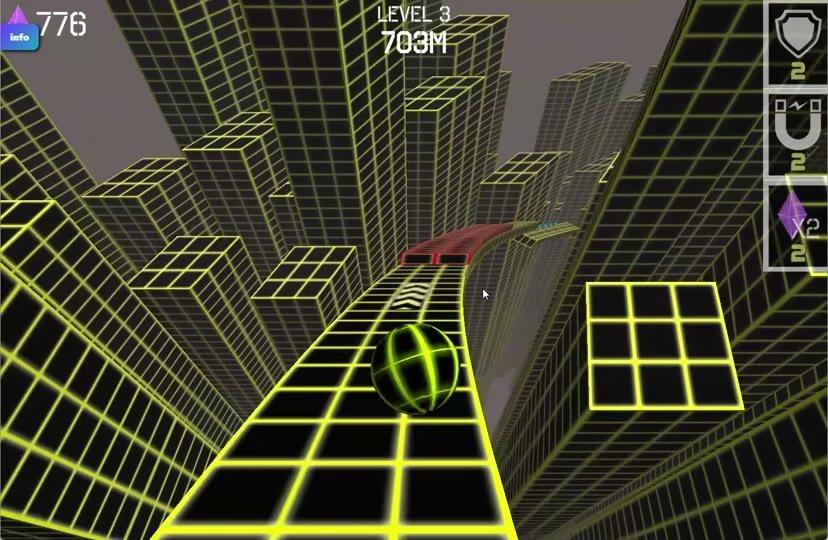
Figure 5. Red angular obstacles stand near a narrow elevated route.
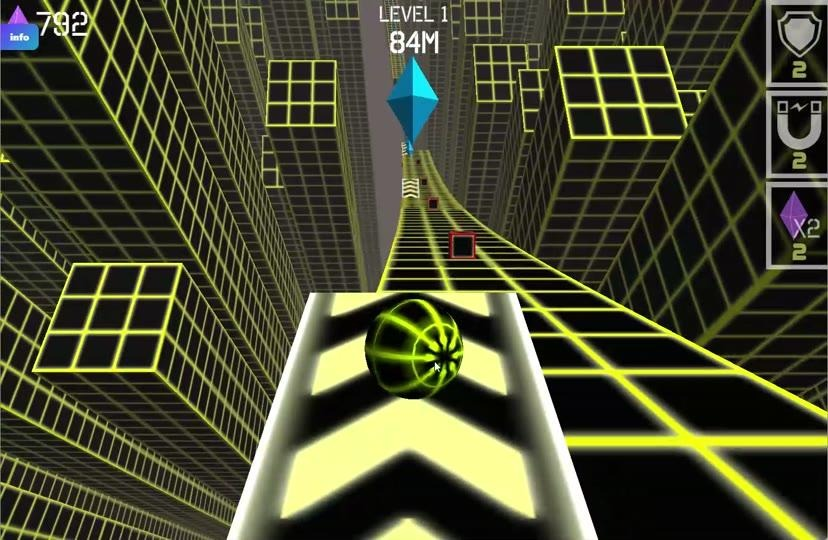
Figure 6. A dark roadway panel carries bold pale chevrons near red track barriers.
Diamonds, Distance, and Levels
Bright cyan, pointed diamonds float along the route. Collecting them adds to the diamond total at the upper left, accompanied by a soft purple particle effect. Those accumulated diamonds carry over to later runs, so even a short attempt can contribute to your collection. The exact amount awarded by each individual gem is not needed to follow the rule: reach the gems you can collect safely, and the total grows.
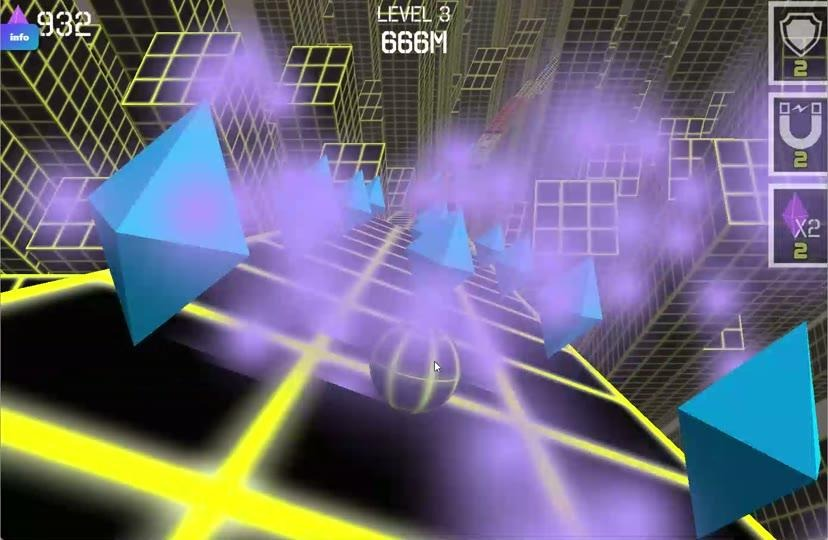
Figure 7. Cyan diamonds and purple collection effects brighten a stretch of the neon track.
At the top center, a distance counter measures your current run in meters, with a LEVEL label above it. As you keep going, the level rises and the course becomes more demanding. Distance is the result to extend, while diamonds are a separate collection you retain. You do not need to clear a final level to succeed at your personal goal: a longer run and a new BEST are achievements in an endless game.
Power-Ups and the Shop
Three power-up icons sit in a vertical strip on the right: a shield at the top, a horseshoe magnet in the middle, and a purple x2 diamond below. Activating a shield protects against obstacle collisions, but it cannot save a ball that falls off the road. The magnet attracts collectible items; x2 doubles the diamonds you collect while it is active. Each activation uses one stored item and lasts 40 seconds. Small numbers by the icons show how many you have, and unused items remain available after a failed run.
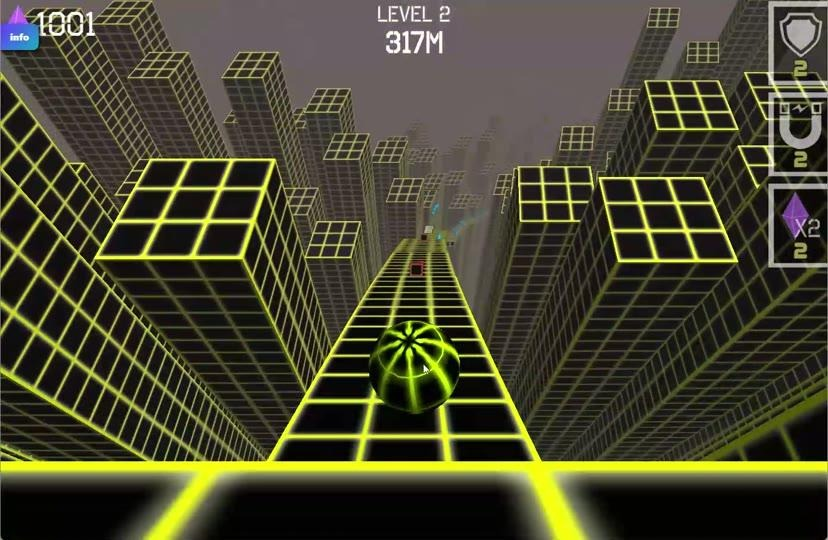
Figure 8. Shield, magnet, and x2 icons line the right edge beside the moving ball and luminous roadway.
The SHOP option on the results menu offers more shields, magnets, and x2 items, along with different looks for the ball. Choose the help that suits the next attempt: protection when red barriers are troublesome, attraction when diamonds are awkward to reach, or a multiplier when a gem-rich stretch comes into view. None of those items replaces the need to stay on the track.
End of a Run, Records, and Another Try
There is no final victory screen at the end of a fixed course. Instead, the run stops when an unprotected collision with a dangerous red obstacle occurs or the ball falls into the gap below. The result panel shows the distance you reached and your BEST distance; that personal record remains saved even when you close and reopen the game. PLAY starts a fresh attempt from the beginning, resetting the run's distance and level while keeping your collected diamonds and unused power-ups. The menu also displays SHOP, RATE, and EXIT.
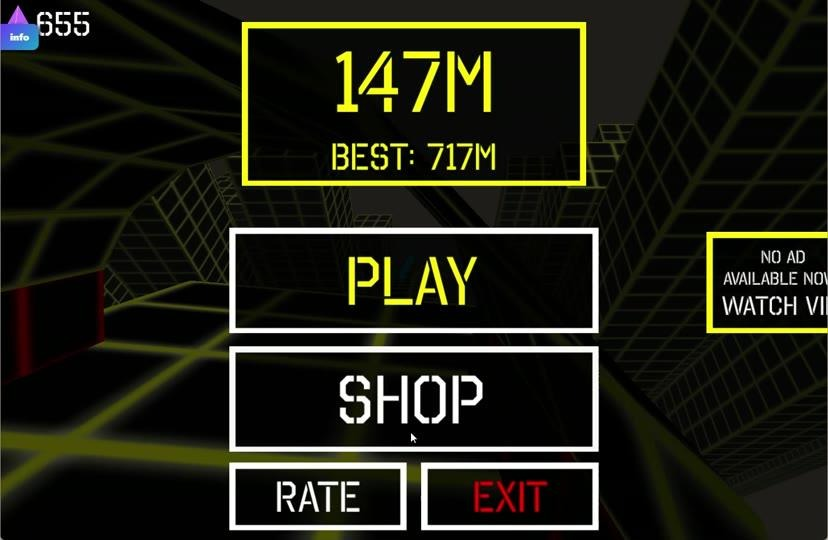
Figure 9. The results panel compares the completed run's distance with BEST and offers PLAY and SHOP.
Losing also brings an advertisement as a penalty after the ball falls or hits a dangerous obstacle without protection. Separately, WATCH VIDEO offers an optional ad-supported continuation from the point where the run ended, once per run. If you choose it, your distance, level, collected diamonds, and active effects carry into the resumed attempt. Otherwise, PLAY starts a fresh run from the beginning; your saved diamond collection remains. Your reward for going farther is the distance record, while the gems you gathered remain useful across attempts.
For a simple first-run example, guide the ball along a wide grid platform toward a cyan diamond. When you collect it, a purple puff appears and your diamond total rises. As the roadway narrows, bring the ball back toward the safe strip rather than chasing a gem too close to the edge. Pass a red barrier without touching it, keep rolling, and watch the meter count climb. One missed path ends that attempt, but you can start another and try to carry your BEST farther.
Visual Style
Our city is built from simple, readable shapes: black roads ruled into bright yellow squares, tall towers outlined like wireframe models, and floating grid-faced blocks suspended in the haze. Those floating blocks are scenery. Their repeating lines make the city feel enormous while the roadway gives you a crisp boundary to follow. A muted gray-violet background lets the neon route stay in view even when the surrounding buildings crowd close.
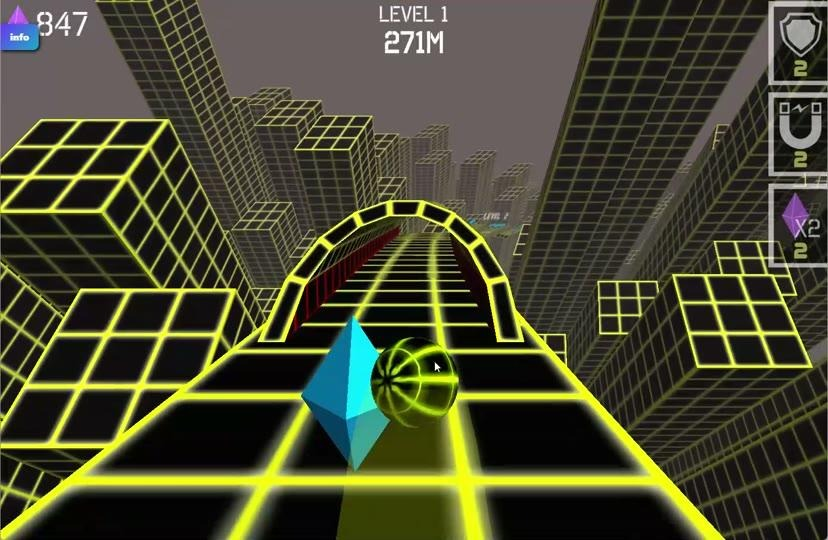
Figure 10. A yellow-outlined arch spans the track amid floating grid blocks and high wireframe towers.
The black ball stands out through its yellow-green curved bands, which remain easy to spot against the dark platform. Cyan diamonds pull your eye toward possible pickups; red barriers mark danger; violet wisps briefly dress up a successful collection. We chose strong color contrasts so the next useful object can be recognized quickly as the scenery rushes by.
Standout Features
Slope2 keeps your attention on one immediate problem: staying on a moving, increasingly demanding road. The ball handles forward travel, so each decision is a sideways correction. Wide platforms give you room to settle in; skinny paths and exposed gaps ask for more careful positioning. The rising speed makes the same simple steering action feel different as a run continues.
Collecting diamonds adds a second decision without replacing the distance challenge. The shield can help with a barrier, but its protection stops short of saving a fall. The magnet helps gather nearby items, and x2 makes a successful collection worth more diamonds. Because unused items and accumulated gems survive a retry, a difficult run can still help prepare you for the next one.
A saved BEST gives each attempt a clear personal target, while the single optional WATCH VIDEO continuation offers a choice between recovering one run and beginning again. If you want to test how long you can read the road ahead, play Slope2 on Slope3 and see where your next run takes you.
Controls
PC
1. Choose PLAY to begin a fresh run. The ball starts rolling forward automatically.
2. Hold A or the left arrow key to steer the ball left; hold D or the right arrow key to steer right.
3. Release the steering key to stop steering sideways. The ball keeps moving forward.
4. To activate a stored power-up, move the mouse pointer onto its shield, magnet, or x2 icon on the right and click.
Mobile
1. Tap PLAY to begin a fresh run. Forward rolling starts automatically.
2. Touch and hold the left side of the screen to steer left, or touch and hold the right side to steer right.
3. Lift your finger to stop steering sideways while the ball keeps rolling ahead. Switch sides for the next correction.
4. Tap the shield, magnet, or x2 icon at the right edge to activate one of your stored power-ups.
References
[1] Optical flow. https://en.wikipedia.org/wiki/Optical_flow
[2] Parallax. https://en.wikipedia.org/wiki/Parallax
[3] James J. Gibson. https://en.wikipedia.org/wiki/James_J._Gibson
[4] Sensory illusions in aviation. https://en.wikipedia.org/wiki/Sensory_illusions_in_aviation
[5] Effects of visual field on perceived speed of self-motion from optic flow. https://openalex.org/W1962553602
[6] Visual control of locomotion. https://doi.org/10.1111/j.1467-9450.1977.tb00281.x
[7] Retinal optic flow during natural locomotion. https://doi.org/10.1371/journal.pcbi.1009575