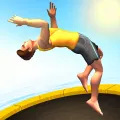
Quick Start
- Hold the mouse button, or hold Space / Left Arrow / Right Arrow: spin and speed up your flips while you're in the air.
- Move the mouse while holding: push your athlete to lean left or right.
- Let go before you touch the mat: straighten out to land on your feet or your back.
- You rebound by yourself every time you hit the trampoline, so you only need to think about the flips and the landing.
Why We Made It
Flip Master began with a simple question: if a game needs only one button, but every bounce is a real decision, is that enough to keep someone playing? It's built for the "one more try" crowd: a riskier flip, a tighter landing, a longer combo than last time.
Rather than teaching you lots of buttons, the game keeps the controls tiny and puts the depth in timing: how long you hold, when you release, which way you lean. It's easy to start and hard to master, so a two-minute break or a twenty-minute session both feel right.
The Story
You're a rookie acrobat who starts out on a small trampoline in the backyard. The goal isn't to beat a rival. It's to become a true Flip Master: someone who can spin the hardest flips, land cleanly, and play every venue from a quiet garden to a packed arena. Each new place is another step on the road from beginner to legend.
How It Plays
What a Run Looks Like
Your athlete keeps bouncing. The higher you go, the more time you get to flip. Every successful bounce and every flip earns coins. A run ends when you land badly, for instance on your head or stomach, or fall outside the safe area.
Coins and What They're For
The coins you collect after each run unlock new characters, outfits, and locations. You can also spend coins on a lucky spin, and pick up extra rewards from the balloon that appears every hour.
Missions and Boosts
Missions set small goals such as landing a number of flips or stringing clean landings together. Boosts like coin rain and bouncing coins make a run pay off more. If you fall in the middle of a great streak, you can spend coins to keep going.
Many Places, Many Moods
You'll play in a backyard, a gym, a circus ring, a competition arena, and a trampoline park. Each venue has its own setting, lighting, and feel.
Look and Feel
Bright 3D with Soft Edges
The game uses stylized 3D models with cartoon-style shading and clear light and dark areas instead of realism. Characters and props stay clean and readable, so you can judge your pose even while spinning fast.
Color
The palette leans on sky blue, deep blue, and sunny yellow for a relaxed outdoor mood. Every location has its own tone: a sunlit garden, a cool, bright gym, a more vivid circus.
Sky and Light
Skies have drifting clouds and gentle lighting shifts that keep the background lively without pulling attention from your athlete.
Interface
Buttons are rounded and glossy like candy, in high-contrast green, yellow, and blue, so they're easy to hit quickly. The type is bold and large for small screens.
Controls
Spin and Flip
Hold the mouse button, Space, or the Left/Right Arrow to spin; release to straighten out.
Lean
Move the mouse while holding to push your athlete left or right.
On Mobile
Touch and hold the screen to spin, and lift your finger before you land.