Concept and Inspiration
Long before a blinking cursor made writing look effortless, typing meant pressing a real key and watching a machine leave a mark. In a traditional typewriter, the mechanism drove a type element against an inked ribbon and onto paper. Each letter took a small, precise physical action, and the page kept the evidence. [1]
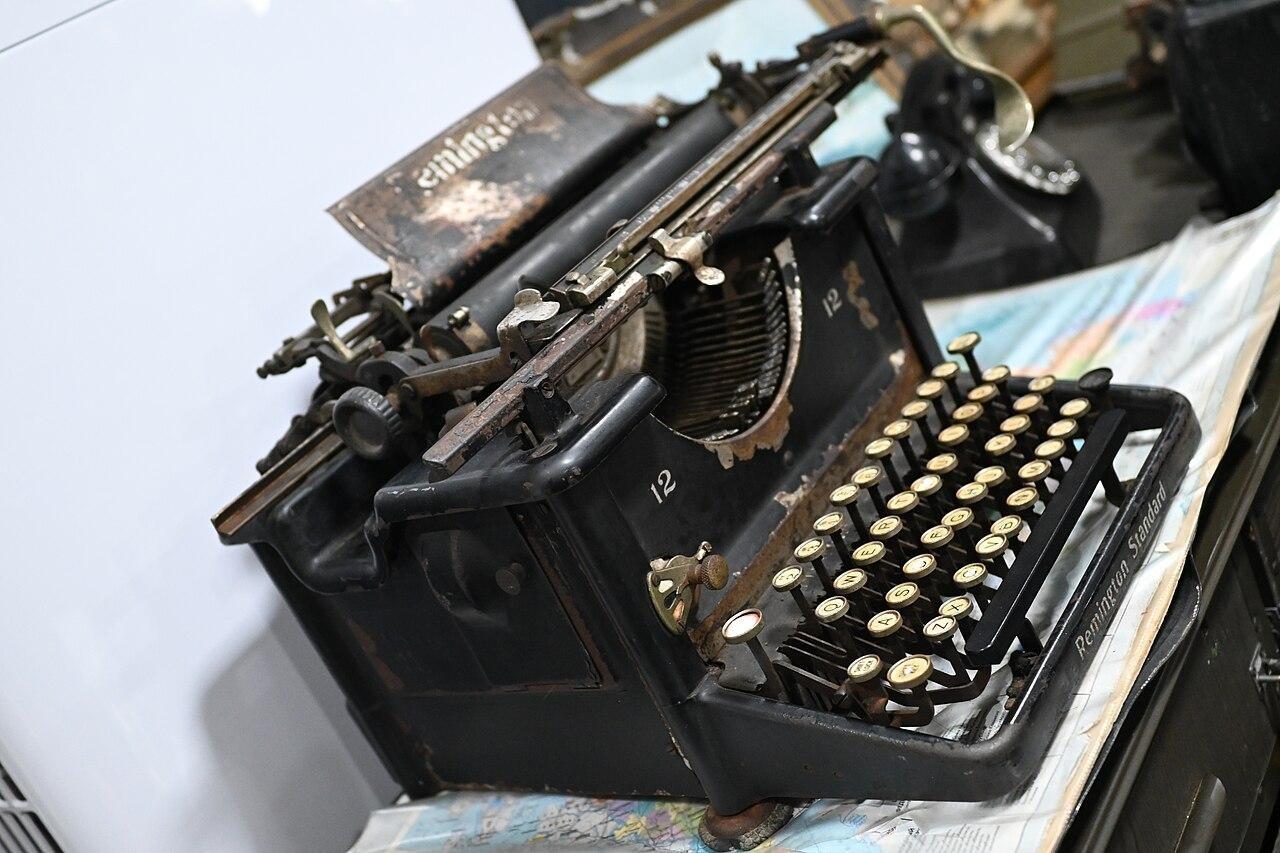
Figure 1. A weathered vintage typewriter with round keys and exposed metal parts.
Photo: PattayaPatrol | ccby-sa4.0
That simple action reshaped office work. The Sholes and Glidden machine, also called the Remington No. 1, became the first commercially successful typewriter and went on sale in 1874. It combined a cylindrical paper roller with a four-row keyboard, yet it had a surprising drawback: the typist could not see the words while entering them. Fast, legible correspondence mattered increasingly to expanding businesses, even when the machinery demanded patience. [2]
The keyboard itself carried that history forward. QWERTY takes its name from the first six letter keys on the upper row, and the layout used on early Remington machines became familiar far beyond the typewriter. Other arrangements, including QWERTZ and AZERTY, took hold for different languages. The arrangement of letters under your fingers became part of everyday writing culture. [3]
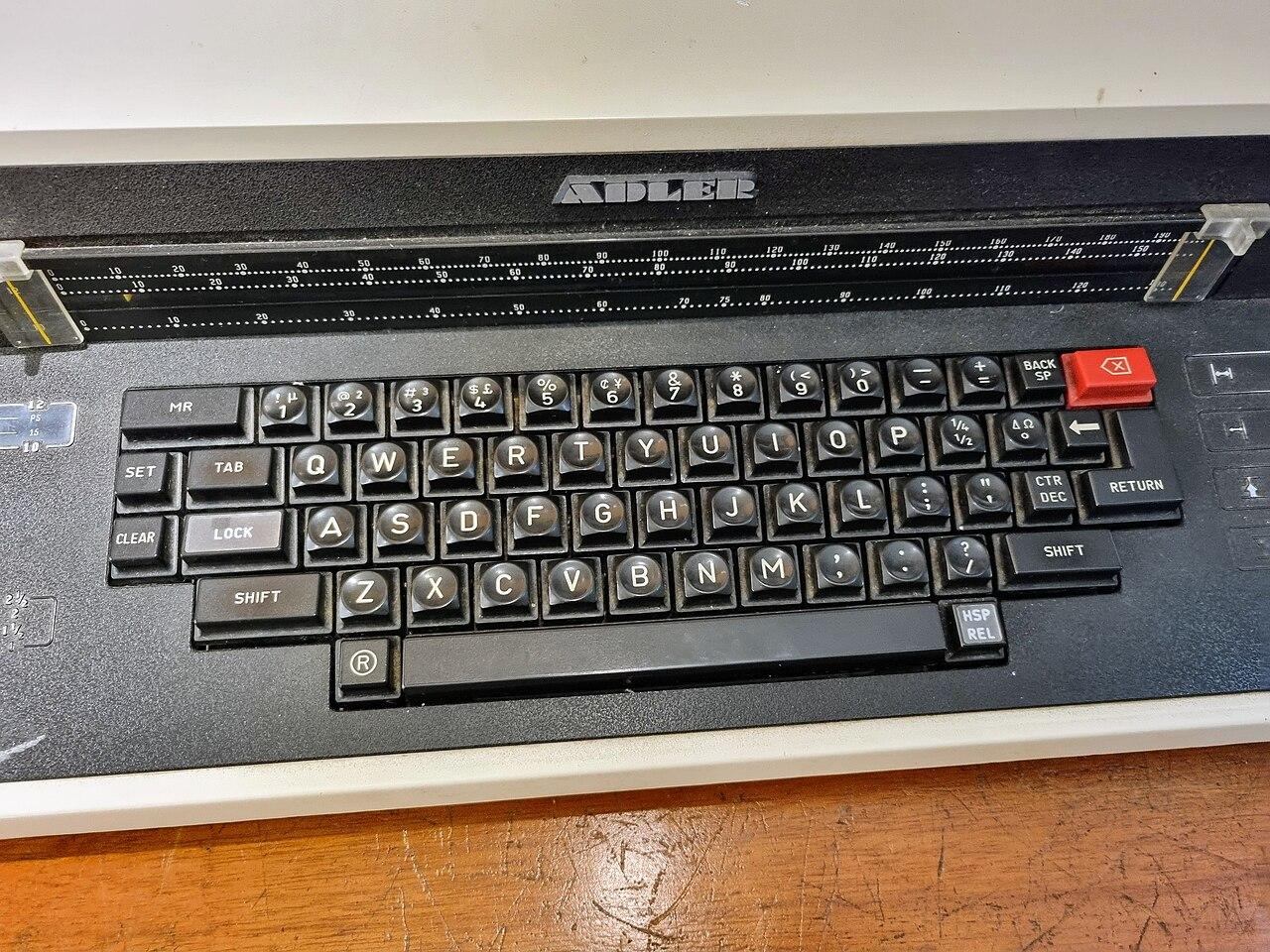
Figure 2. A close view of an Adler typewriter keyboard showing its QWERTY letter keys.
Photo: Maksym Kozlenko | ccby-sa4.0
People also learned to use those keys without hunting for each letter. Touch typing relies on remembering where keys sit through practiced finger movement; a common method begins with eight fingers along the keyboard's middle home row. The skill links reading a word, finding its letters, and pressing them in the right order. [4]
Personal computers gradually replaced typewriters in many offices after the 1980s, but the small challenge of typing accurately at speed survived the change in hardware. Research on decision-making describes a recurring relationship between response speed and accuracy. A clock makes that tension easy to feel: hurry too much and mistakes become costly; slow down too far and the seconds disappear. [1] [5]
At slope3.com, we developed Fast typer as our stripped-down take on this meeting of words, fingers, and time. We chose a clean field, one six-letter word at a time, and a one-minute challenge so the letters remain the main event. There is no elaborate scene to compete with the simple thrill of getting the next word right before the clock runs out.
Story
In our imagined story, a little printing hall stays lit long after the city has gone to sleep. Brass keys glint beneath green-shaded lamps. A huge clock hangs above the press, and stacks of unsent letters wait on every table. Ada, the youngest apprentice, discovers that the press will open for only one more minute before its shutters lock for the night.
Each letter contains a message someone has been waiting to send: a promise, an apology, a piece of good news. Ada cannot carry the heavy bundles out herself. Instead, she must set their words in type and feed them through the press, six letters at a time. When her fingers stumble, the unfinished line slips away and another scrap of paper arrives. She wants to rescue every message, but the hands of the clock keep moving.
At the final chime, the hall falls silent. A few letters have made it through; others still wait. Ada looks at the tally chalked beside the door, takes a moment to remember the words she saved, and promises to return. The story's rival is the ticking clock, and its hopeful ending is the same invitation at the heart of Fast typer: try another minute, and see what your hands can do.
Gameplay
Your goal in Fast typer is to finish as many six-letter words as possible in 60 seconds. A word appears in the middle of the screen under 'type this:'. Enter all six letters correctly to earn one point and receive the next word. If you enter a wrong letter, your partially entered word clears and the game switches to another word. Keep going until the countdown reaches zero; every completed word counts toward your total.
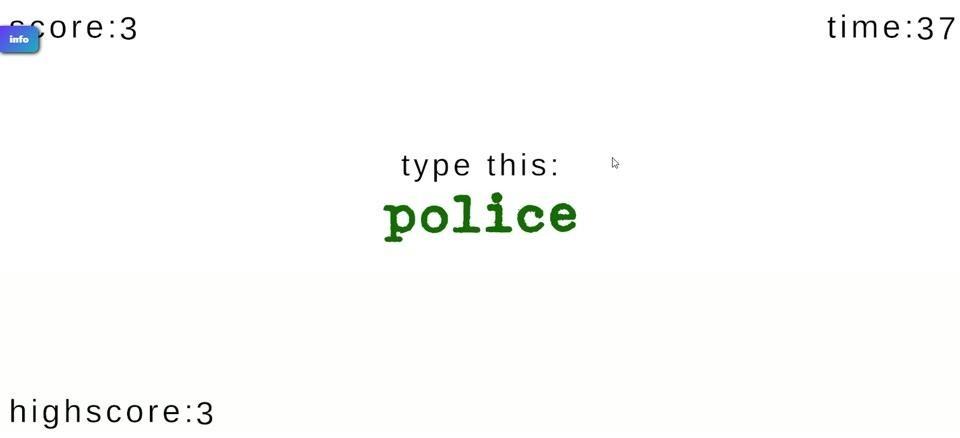
Figure 3. The centered typing prompt sits between the current score and the remaining time.
Words and Immediate Feedback
The prompt always presents a lowercase six-letter word. You might see 'career', 'nature', 'author', or 'enable'. Black lettering marks the word waiting to be typed. Correct typing turns the word green, and a green check mark signals a completed word. The large text gives your eyes one clear target, while the changing word keeps your fingers working.
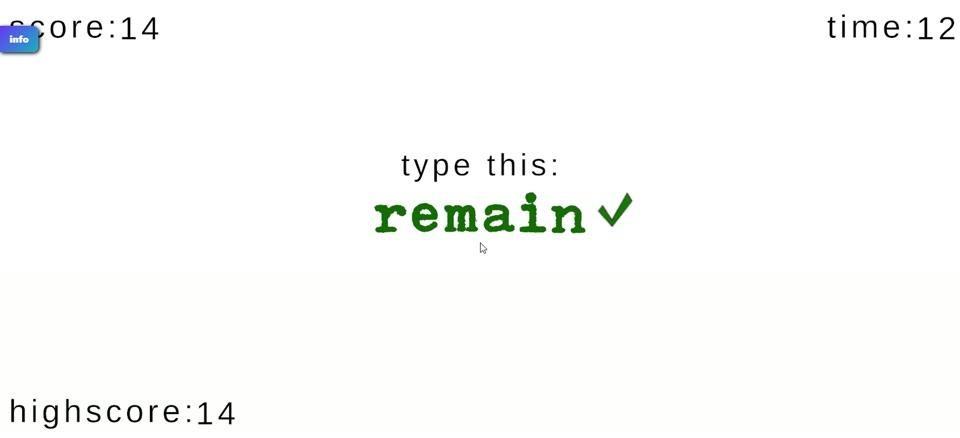
Figure 4. A green completed word with a check mark confirms a successful entry.
A wrong letter triggers red feedback. The partly typed word disappears and a different prompt replaces it, so you move on rather than finishing that mistaken entry. For example, when 'career' is on screen, entering c-a-r-e-e-r correctly earns one point; pressing a wrong letter along the way clears that attempt and brings up another word. The countdown continues through both outcomes.
Score, Timer, and the End of a Round
The current score sits near the upper-left corner, while the seconds remaining appear at the upper right. Every fully correct word adds exactly one point. The score tracks completed words, so you can tell at a glance how much you have managed before time runs out. There is no need to calculate words per minute or interpret a complicated scoring formula.
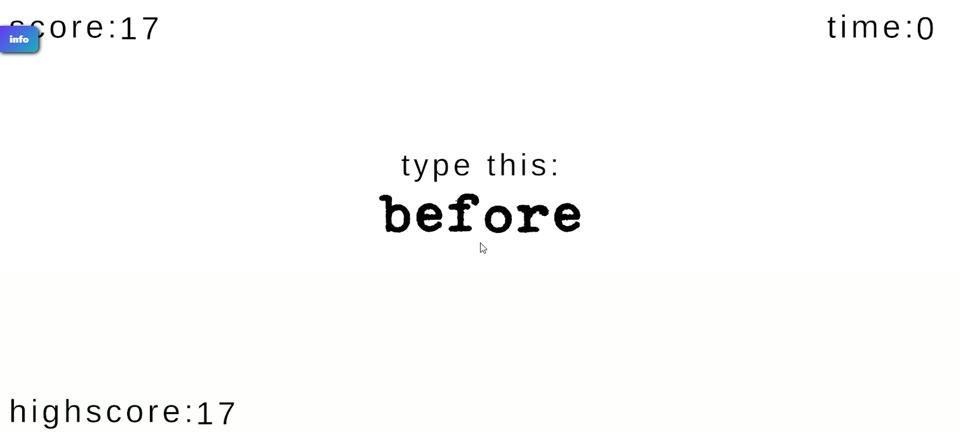
Figure 5. The on-screen counters show a score of 17 as the round timer reaches zero.
Fast typer has no final level to beat or separate victory condition. Your aim is to improve your total during each 60-second attempt. At zero, typing stops immediately and a partly entered word earns no point. The 'Time's up!' screen displays your final score; finishing more words is the achievement, and the clock determines when that attempt ends.
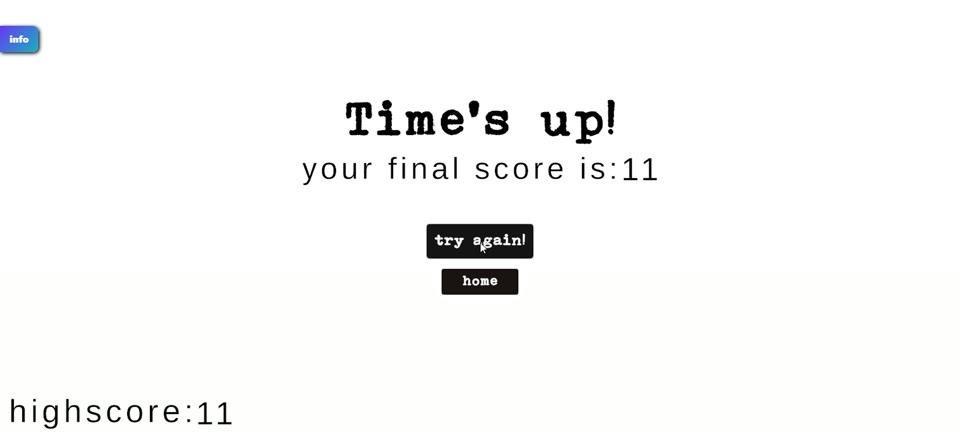
Figure 6. The end-of-round screen announces that time is up and shows the final score.
Your best result appears as 'highscore:' near the lower-left edge. Starting another attempt resets the current score for a fresh minute, but your best score remains available as a record to chase. That high score is saved across browser refreshes and later visits, so a new session can begin with an old target already waiting.
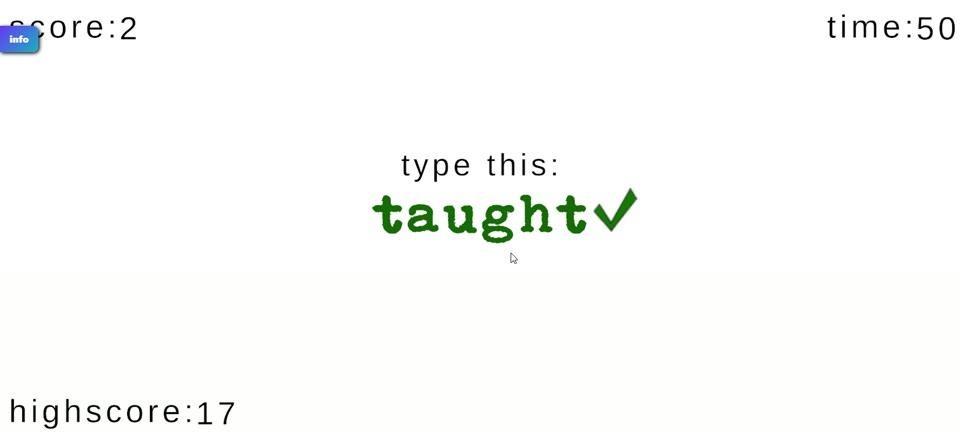
Figure 7. A fresh timed attempt shows a low current score while the previous high score remains visible.
Start Screen and Useful Buttons
The opening screen asks how many six-letter words you can type in 60 seconds and puts a 'GO!' button below the question. Selecting it starts the timed challenge. If an advertisement layer covers the start screen, the green 'CLOSE' button dismisses that layer without affecting the game session.
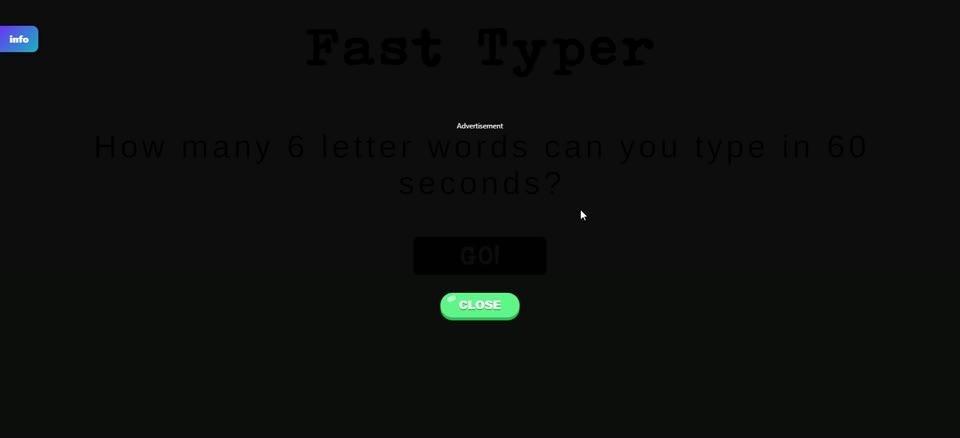
Figure 8. The opening challenge and GO! button sit beneath a dark advertisement overlay with a green CLOSE control.
When a round ends, 'try again' starts a new 60-second attempt with the current score reset, while 'home' returns to the Fast typer start screen. A small blue information button at the upper-left edge opens our slope3.com game site. These controls handle starting, returning, and finding the publisher; the word prompt remains the focus while you play.
Visual Style
Fast typer keeps almost the entire play area white. Small, typewriter-like text labels the score and time at opposite top corners, while a much larger word stands alone in the center. The spare layout makes the next six letters easy to find. Rather than steering a character around a world, your eyes stay on the word and the clock.
Black marks a new prompt, green confirms correct input, and red flags a mistake. The green completion check adds a quick, familiar sign of success. At the end, bold 'Time's up!' lettering and compact dark buttons replace the typing prompt. We kept those transitions plain so you can recognize a finished word, a misstep, and the end of the minute without losing your place.
Standout Features
Every prompt has the same six-letter length, but the letters themselves change. That gives each attempt a steady rhythm without making it predictable. You can settle into a quick pattern, only to meet a word that makes your fingers hesitate. The one-point-per-word tally rewards complete, accurate entries, and the hard one-minute limit makes a brief session feel like a real personal test.
Typing games can turn keyboard speed into very different kinds of competition. TypeRacer, for example, is a browser-based multiplayer game built around typing varied texts and racing other people or your own previous performance. [6] Fast typer concentrates on a solo run of short, equal-length words instead. The challenge here is to keep completing clean six-letter prompts before the same 60 seconds are gone.
The persistent high score makes repeat attempts meaningful without adding levels or a long campaign. You can return later, see the number you need to beat, and make another run with nothing more to learn than the next word. Play Fast typer on our slope3.com site and find out how much you can fit into one focused minute.
Controls
PC — Physical Keyboard
1. On the start screen, select the 'GO!' button below the 60-second question to begin your round.
2. Look at the six-letter word under 'type this:' and press those letters in order on your keyboard. Complete the word correctly to earn one point and move to the next prompt.
3. If you press a wrong letter, the partial entry clears and another word appears. Read that new word and begin typing its letters.
Mobile — On-Screen Keyboard
1. On the start screen, tap 'GO!' below the challenge question to begin the minute.
2. Read the word beneath 'type this:' and tap its six letters in order on the virtual keyboard. A correct word earns one point and brings up a new one.
3. If you tap an incorrect letter, the unfinished entry disappears and a different word replaces it. Enter that new word using the on-screen letters.
References
[1] Typewriter. https://en.wikipedia.org/wiki/Typewriter
[2] Sholes and Glidden typewriter. https://en.wikipedia.org/wiki/Sholes_and_Glidden_typewriter
[3] QWERTY. https://en.wikipedia.org/wiki/QWERTY
[4] Touch typing. https://en.wikipedia.org/wiki/Touch_typing
[5] The speed-accuracy tradeoff: history, physiology, methodology, and behavior. https://doi.org/10.3389/fnins.2014.00150
[6] TypeRacer. https://en.wikipedia.org/wiki/TypeRacer
Image Credits
DFC 5879 Vintage Remington typewriter on display at Khao Chi Chan Sattahip District Chon Buri Province Thailand.jpg — PattayaPatrol — ccby-sa4.0. https://commons.wikimedia.org/wiki/File:DFC_5879_Vintage_Remington_typewriter_on_display_at_Khao_Chi_Chan_Sattahip_District_Chon_Buri_Province_Thailand.jpg License: https://creativecommons.org/licenses/by-sa/4.0
Adler Typewriter Keyboard Close-up.jpg — Maksym Kozlenko — ccby-sa4.0. https://commons.wikimedia.org/wiki/File:Adler_Typewriter_Keyboard_Close-up.jpg License: https://creativecommons.org/licenses/by-sa/4.0