Concept and Inspiration
From the audience, a theater stage can seem like the most dependable floor in the building. The actors stand on it, scenery gives their world a shape, and every entrance looks carefully planned. Yet a theater has more than the visible playing area: the house holds the audience, the stage holds the performance, and many theaters have a backstage area where the production happens out of sight. [1] An old star-trap mechanism from London's Theatre Royal, Drury Lane, offers a fascinating glimpse of the machinery hidden behind a seemingly ordinary stage.
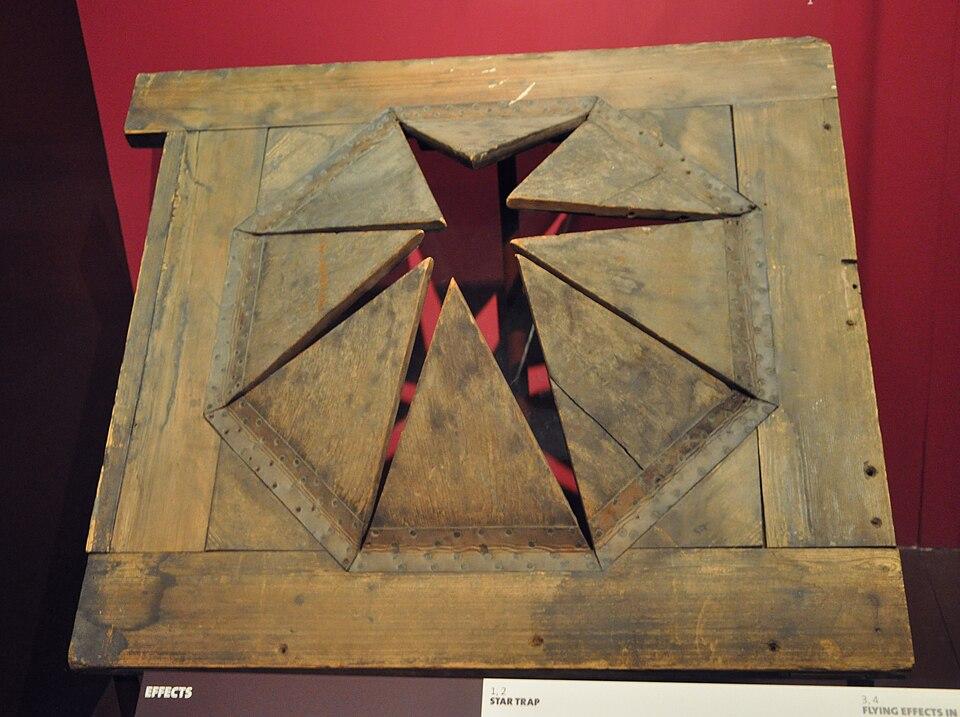
Figure 1. A historic theatrical star-trap mechanism from the Theatre Royal, Drury Lane.
Photo: Photo: Andreas Praefcke | publicdomain
Making that illusion work takes practical skill. Stagecraft covers tasks such as building and rigging scenery, arranging lighting, and preparing the objects used in a production. [2] The scenery itself might be no more than a chair, or it might recreate an entire street. [3] The audience sees the finished scene; behind it, every piece has been placed for a reason.
Some of the most intriguing theater equipment exists to make the set change. A fly system uses ropes, pulleys, counterweights, and related gear to raise curtains or scenery, sometimes lifting them into the space above the stage where the audience cannot see them. [4] Suspended sculptures displayed with a fly-system arrangement at a London museum illustrate how visible objects can depend on an elaborate structure around them.
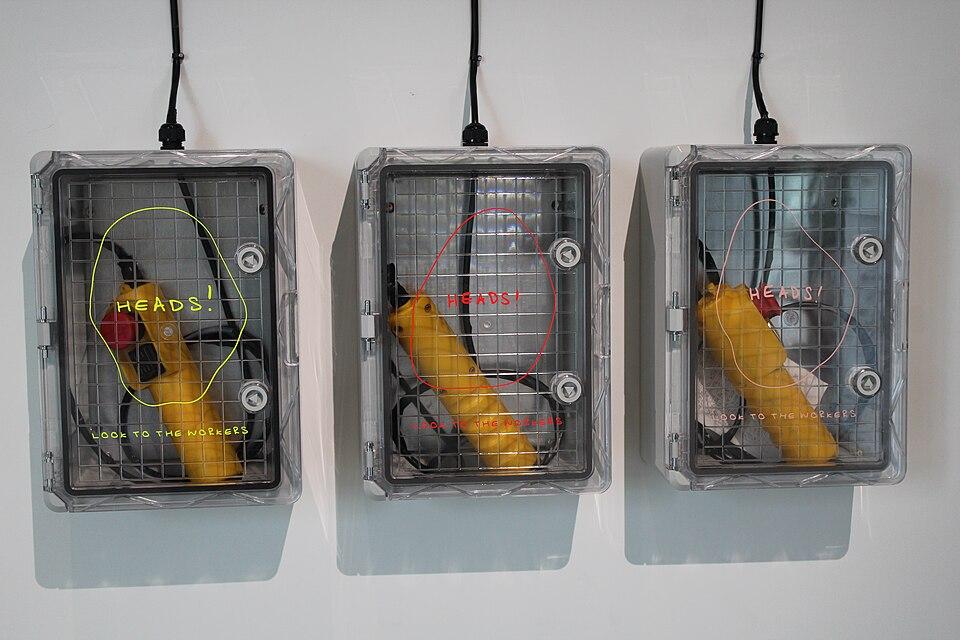
Figure 2. Suspended sculptures and their fly-system rigging in a London museum installation.
Photo: 14GTR | cc0
Other theatrical machinery includes stage lifts and turntables, which can physically reposition the elements of a scene. [4] These devices reveal a playful contradiction: a place that looks settled from one viewpoint can be rearranged by something the viewer barely notices. The floor, the doorway, and the scenery are part of the surprise.
That is the creative idea we bring to Level Devil, the platform game we developed at Slope3.com. We treat each orange room like a tiny, mischievous stage. You play the lone black silhouette; a simple floor can betray your next step; and a plain gray door carries you onward to another scene. We chose clear shapes and sharp contrasts so a sudden change to the room feels immediate. The joke is that the stage knows the trick before you do.
Story
Our tale opens in a playhouse long after the audience has gone home. One small performer stands beneath the lights, with no script, no stage manager, and only a gray door at the far end of the room. A mysterious trickster has taken charge of the scenery. Every time the performer thinks the path is clear, the stage seems ready with a different answer.
The first scene promises an easy crossing. Then a stretch of floor drops away, revealing a narrow shaft where solid ground seemed to be. In another room, a wide pit waits beneath a quiet passage. Farther on, small black spikes turn a few steps into a serious decision. The performer learns that a doorway is never just a doorway: it is a chance to leave one treacherous scene and enter the next.
Beyond those rooms lies a winding map of acts, each marked by a square and connected to the next. One marker glows to show where the performer stands in the journey. Far away, a crown marks the final act. The trickster can force an encore by making the performer start a room again, but the journey does not have to end with one bad landing. Each return offers another chance to recognize the trap and make it through.
By the last act, the performer is no longer searching for a stage that can be trusted. The challenge is to cross a stage that cannot. A familiar floor may still open without warning, but the gray door remains the next destination. Past the final door waits the end of this strange performance, and the chance to leave the trickster without an encore.
Gameplay
Guide the tiny black character left or right across an orange platform, jump when you need to clear an obstacle, and touch the gray exit door to finish the room. Watch where you step: crossing certain spots triggers floor traps that open suddenly. Falling into a shaft or touching spikes kills the character and restarts the current room. Reach the exit safely, and the next level in the chapter unlocks.
Your Character and the Exit
You control a small, solid-black figure with a round head and short limbs. The character runs and jumps along pale-orange floors, often from one side of a room toward a gray, rounded-top doorway. Most exits sit near the right edge, though some rooms place the door on the left. Touching that door completes the level.
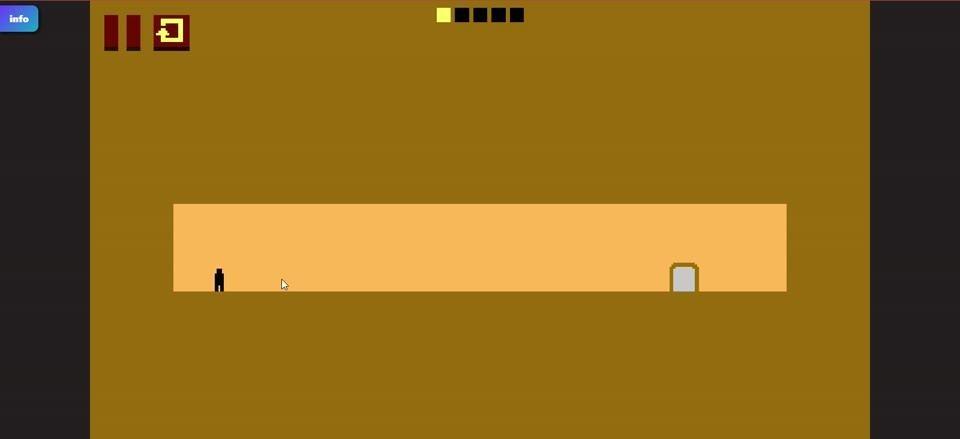
Figure 3. The small black character faces a gray exit door across a broad orange floor.
A useful first attempt is simple: cross the safe-looking stretch of floor, jump over any hazard you can see, and approach the door. If the ground opens at a trigger point, remember where the trap appeared when the room restarts. The same destination is waiting, but now you know more about the route.
Traps, Pits, Spikes, and Passable Steps
The narrow vertical shaft is a triggered floor trap. A gap can suddenly appear beneath a previously flat passage when you step on a particular spot. Falling through it ends that attempt, sending you back to the beginning of the current room. The thin drop changes the outline of the floor so dramatically that the space can resemble a T-shaped opening.
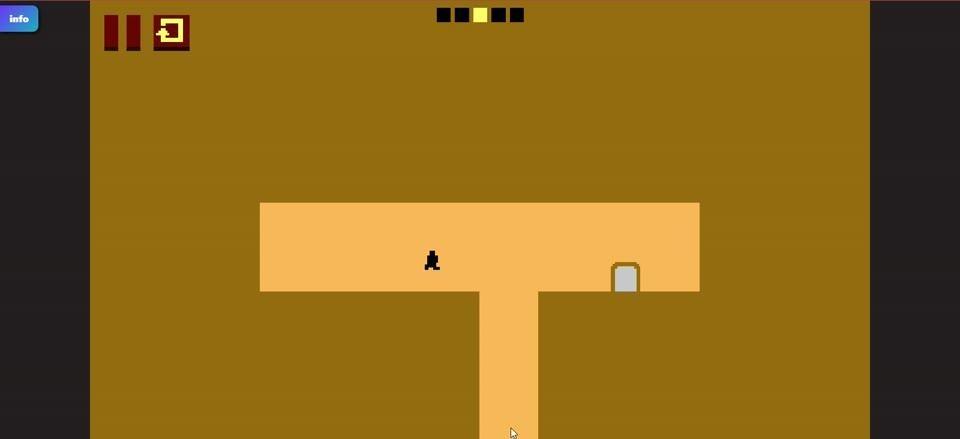
Figure 4. A narrow vertical opening interrupts the orange platform after a floor trap is triggered.
A broad lower recess is another kind of pit, with a wide orange area extending below the upper corridor. Entering it also restarts the room. Do not confuse that pit with the large stair-stepped depression found elsewhere: its rectangular steps form a deep V-shaped dip, but you can move through that section without an automatic reset. Small raised lips and offset ledges add changes in height that you must account for as you travel toward the exit.
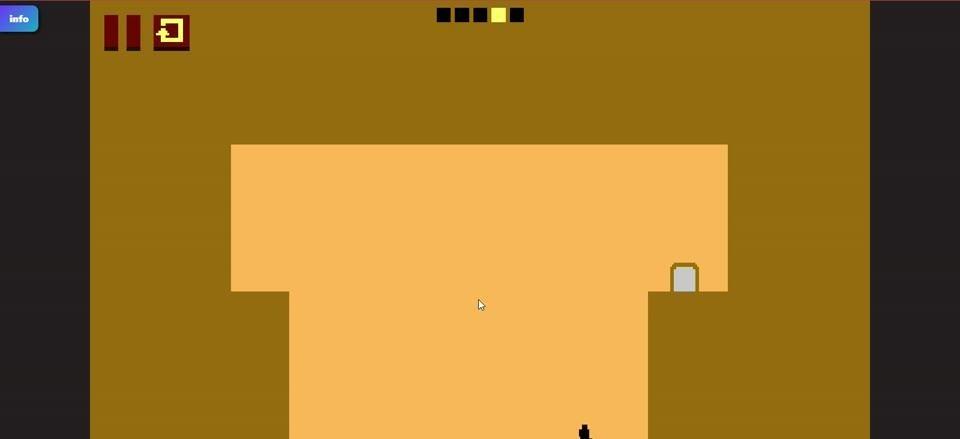
Figure 5. A broad pit drops far below the upper corridor and causes a room restart.
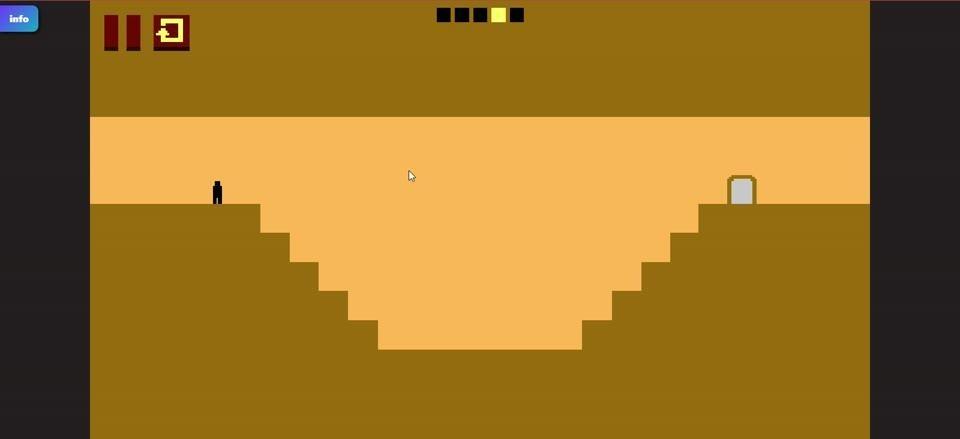
Figure 6. A traversable stair-stepped depression separates the character from the exit.
Short clusters of dark triangular spikes sit on some floor edges. Touching one kills the character and restarts the current room, so a jump must carry you clear of the pointed area. Spikes are easy to identify by their sharp black tips; the surprise comes from combining them with ledges and the possibility of changing terrain.
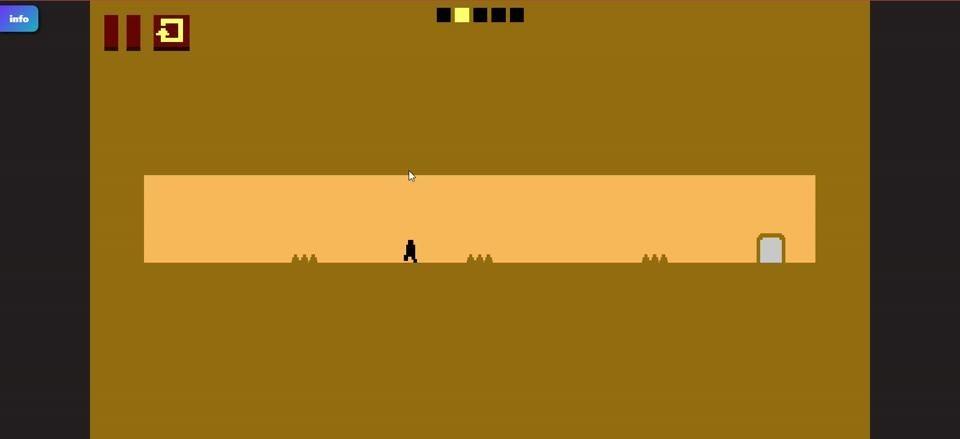
Figure 7. Small black spike clusters interrupt a corridor leading to the gray exit.
Chapters, Progress, and the Final Victory
Each successful door crossing unlocks the next level in the current chapter. Chapters contain about five levels. The segmented strip near the top center of a room shows how many levels the chapter requires; its bright segments mark the ones you have already completed. Finish all the levels in a chapter to unlock another chapter on the roadmap. Advancing through these rooms and unlocking new chapters is the reward for success.
The LEVEL DEVIL roadmap connects dark square chapter markers with branching brown paths. One pale highlighted square and its small triangular pointer show your current chapter. You can revisit chapters you have completed, and chapter progress is saved when you return to the game. A crown-shaped marker identifies the final chapter, and completing the last level means you have beaten the game.
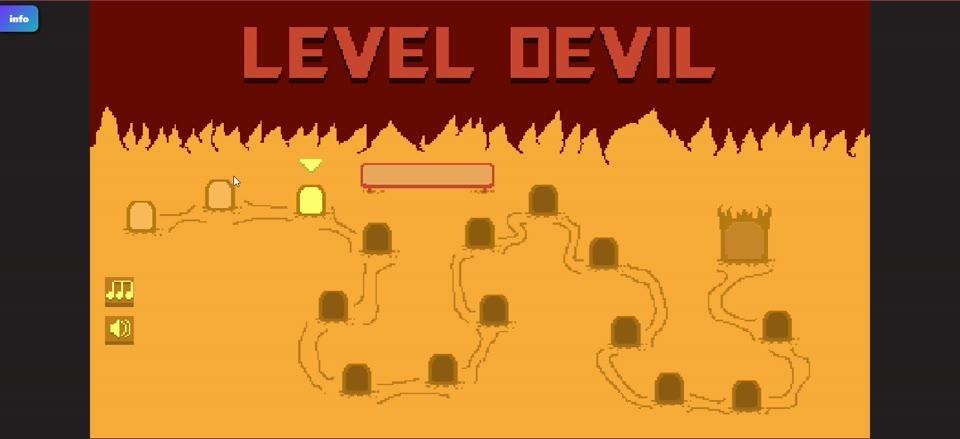
Figure 8. The branching chapter roadmap marks the current chapter and the crown-marked final destination.
Failure has a clear immediate cost: your attempt ends and you replay the same room from its starting position. The floor layout is reset for another try. A death at the spikes or in a triggered shaft does not send you back to the beginning of the entire roadmap. The goal is to finish rooms, open chapters, and eventually clear the final stage.
Useful Screen Buttons
The upper-left pause icon, drawn as two dark vertical bars, pauses and resumes play. The nearby curved-arrow button restarts the current room, returning the character to the starting point and resetting that room's layout. A small blue badge at the upper-left edge opens the Slope3.com game menu.
On the roadmap, the music-note icon toggles background music, while the speaker icon controls sound effects. They sit along the lower-left side of the map. The long reddish rectangle near the top of that screen and the jagged, flame-like border are decorative parts of the map rather than extra obstacles in a room.
Visual Style
Level Devil uses flat, warm colors and simple outlines. Pale-orange platforms sit against a darker ochre background, while nearly black bands frame the sides of the game view. The tiny player silhouette and pointed black spikes stand out immediately. We keep the exit a small gray door with a dark edge so you can pick out your destination even when the room contains awkward steps or offset ledges.
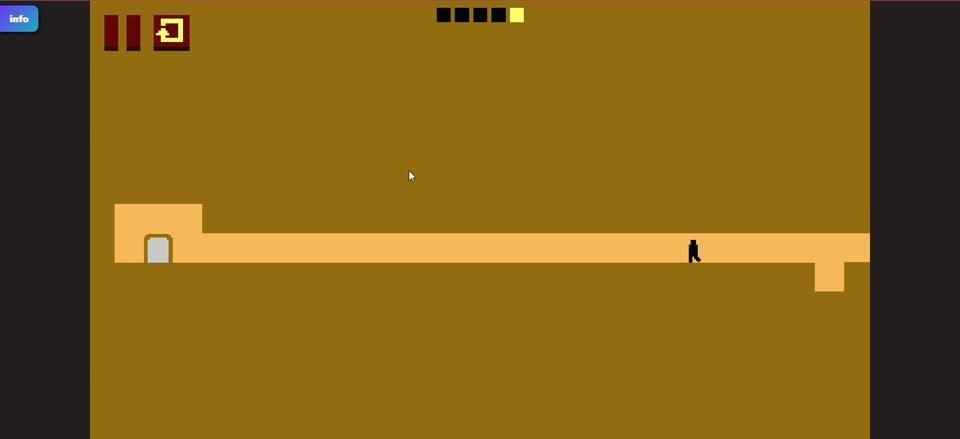
Figure 9. Offset orange ledges and a small gray exit stand out against the plain ochre background.
The chapter map gives the journey a stronger splash of color: bright orange ground, a deep-red header, the large LEVEL DEVIL title, dark square markers, winding paths, and a flame-shaped border. A pale marker makes your current chapter easy to locate. The map's crown adds a recognizable finish line without crowding the rooms themselves.
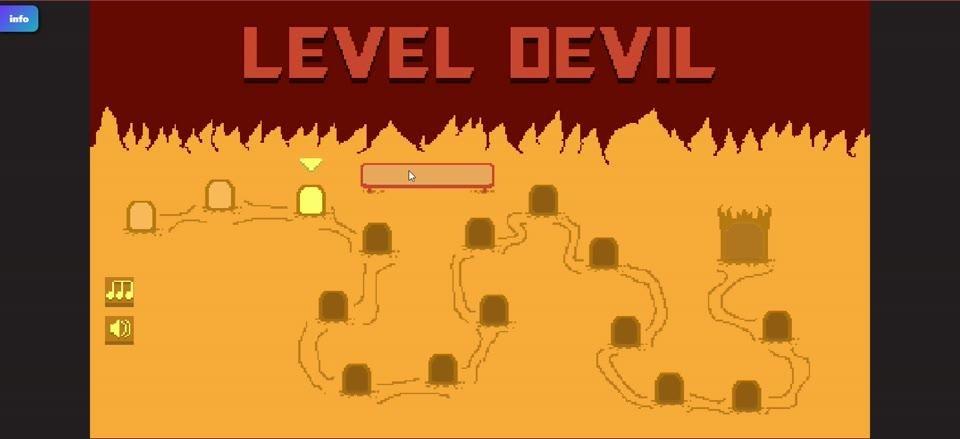
Figure 10. The orange-and-red roadmap uses square chapter markers, connecting paths, and a crown icon.
Standout Features
Our most distinctive trick is the floor that changes when you reach a trigger point. A stretch of ground can look perfectly ordinary until it opens into a shaft. That makes an unsuccessful attempt useful: you learn exactly which stretch of the route deserves a different approach next time. The quick return to the current room keeps the focus on that immediate problem.
Not every dip in the floor punishes you. The stepped V-shaped depression is passable, while the wider pit resets the room and the spike clusters are lethal. These differences ask you to read the actual shape of each obstacle instead of treating every downward slope as a trap. Clear colors make those decisions easy to see, even when the correct move is less obvious.
Trap Adventure 2 is another two-dimensional platform game known for difficult stages filled with traps. [5] Level Devil combines its own sudden hazards with a visible chapter structure: each gray door advances the current run of rooms, filled progress segments mark what you have cleared, and the roadmap points toward a final crown. The challenge has a destination as well as a series of nasty surprises.
If you enjoy learning a trap one attempt at a time, play Level Devil on Slope3.com. The next gray door is always a good reason to try the room again.
Controls
PC — Keyboard
1. Press A or the Left Arrow to move the black character to the left.
2. Press D or the Right Arrow to move the character to the right.
3. Press W or the Up Arrow to jump over an obstacle or a gap.
Mobile — Touch Controls
1. Tap the on-screen left-arrow button to move the character left.
2. Tap the on-screen right-arrow button to move the character right.
3. Tap the on-screen jump button to make the character jump.
References
[1] Parts of a theatre. https://en.wikipedia.org/wiki/Parts_of_a_theatre
[2] Stagecraft. https://en.wikipedia.org/wiki/Stagecraft
[3] Theatrical scenery. https://en.wikipedia.org/wiki/Theatrical_scenery
[4] Fly system. https://en.wikipedia.org/wiki/Fly_system
[5] Trap Adventure 2. https://en.wikipedia.org/wiki/Trap_Adventure_2
Image Credits
Drury Lane Star trap VA.jpg — Photo: Andreas Praefcke — publicdomain. https://commons.wikimedia.org/wiki/File:Drury_Lane_Star_trap_VA.jpg
Heads! Look to the Workers by Laura Wilson 05.jpg — 14GTR — cc0. https://commons.wikimedia.org/wiki/File:Heads!_Look_to_the_Workers_by_Laura_Wilson_05.jpg License: http://creativecommons.org/publicdomain/zero/1.0/deed.en