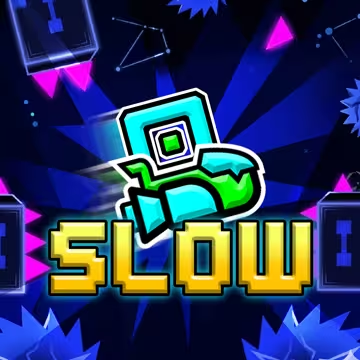
How to Play Geometry Dash Slow
- Click the mouse, press Space, or press the Up Arrow to jump or fly.
- Press Z to place a checkpoint (in Practice mode).
- Press X to remove your current checkpoint.
- Press Esc to pause the game.
The Idea Behind the Game
Geometry Dash Slow was made for players who love music and enjoy moving to the beat, but want a more unhurried pace. Every obstacle, effect, and movement in a level is placed to follow the melody, so playing feels like swaying along to a song.
Instead of focusing only on fast reflexes, the goal is a relaxing experience that still has real depth. The music always plays in its original form, never distorted, and your character stays locked to the rhythm.
Story
You play as a small shape searching for the "last slow beat" of the world. That world rushed ahead too fast, lost its melody, and fell silent. Each level is a stretch of the journey, taking you through lands full of light and sound to wake the song that fell asleep.
A Journey Through Many Worlds
You keep changing form: cube, ship, ball, UFO, wave, robot, and spider. Each form moves in its own way and matches a different part of the music.
Gameplay
Geometry Dash Slow is a rhythm platformer. Your character runs forward on its own at the speed of the song, and you decide when to jump, fly, or change direction to get past obstacles.
Multiple Character Forms
Passing through portals transforms your character into forms such as cube, ship, ball, UFO, wave, robot, and spider. Each form has its own controls and its own rhythm.
Portals
Gravity portals, size portals, mirror portals, character-duplicating portals, and teleport portals keep changing how you play.
Practice Mode and Checkpoints
In Practice mode, you can place checkpoints before difficult sections. When you fail, you respawn right there and the music returns to the matching position, so you can practice again and again until it feels natural.
Coins
Some levels hide coins in harder-to-reach places. They are for players who want to explore and challenge themselves further.
Style
2D Geometric Graphics
Geometry Dash Slow is a 2D side-scrolling game. Characters, obstacles, and backgrounds are built from simple shapes with clean lines, which stay easy to read in motion. The camera follows your character, so you can always see what's ahead.
Colors That Follow the Music
Color is a key part of the style. The background, ground, outlines, objects, and decorations each have their own palette, and they shift gradually with each part of the music. Calm passages use softer tones, while climactic moments turn brighter and more vivid. This gives every level its own mood.
Lighting Effects
Glows, small particles, and motion trails surround the character and portals. They stand out enough to mark interactive points without cluttering the screen.
Characters
Each character form (cube, ship, ball, UFO, wave, robot, spider) has its own shape and animation, so you can tell them apart the moment you transform.
Music at the Center
The soundtrack stays clear, original, and unaltered, so every light effect and every jump lands on the beat.
Controls
The controls are simple: one button.
Jump and Fly
Click the mouse, press Space, or press the Up Arrow. Hold to fly or keep jumping, depending on your character form.
Checkpoints
Press Z to place a checkpoint and X to remove the latest one. Available in Practice mode only.
Pause
Press Esc to pause. The music pauses with the game.