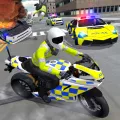
How to Play Police Car Driving Motorbike Riding
- Press the Arrow keys or W, A, S, D to accelerate, brake or reverse, and steer.
- Press Space to use the handbrake.
- Use the mouse (or tap on mobile) to press mission, weapon, and handcuff buttons.
- Press Esc to pause the game.
The Idea Behind the Game
Police Car Driving Motorbike Riding was made for players who love fast driving and want to play the one who keeps the city safe. Instead of simply racing for speed, the game gives you clear goals: chase, escort, and protect.
Every mission is short and easy to jump into, yet still has real depth through upgrades to your vehicles, weapons, and gear. You decide when to push forward in a chase and when to stop and deal with a suspect.
Story
You play as a patrol officer in a busy city. A wave of crime has hit the streets: bank robberies, getaways on cars and motorbikes, and chaos on every road. Each day, the police chief hands you the most urgent cases.
The more missions you complete, the better the rewards. You unlock stronger vehicles and face more dangerous gangs, all to bring peace back to the city.
Two Vehicles, Two Ways to Play
You can drive a powerful police car or ride a nimble motorbike. The car is sturdy and great for chases and ramming. The bike is quick and slips easily through heavy traffic. Each vehicle has its own feel.
Gameplay
Police Car Driving Motorbike Riding is a mission-based, open-world driving game. You drive freely through a city full of traffic and pedestrians, pick a mission, and head to its starting point.
Different Mission Types
- Chase: follow a suspect's vehicle, force it to stop, and make the arrest.
- Escort: guide a protected vehicle to safety while fighting off attacks along the way.
- Gang Showdowns: take on waves of criminals, and finish quickly to earn bonus time rewards.
Weapons and Gear
Use handcuffs, firearms, and heavier weapons to take down suspects. Armor lets you survive more damage in tough missions. Weapons can be upgraded with the rewards you earn.
Fuel and Repairs
Your vehicle burns fuel and takes damage over time. Keep an eye on the fuel gauge and your vehicle's condition so you're never stranded mid-mission.
Rewards and Upgrades
Complete missions to earn coins and diamonds. Spend them on new vehicles, weapon upgrades, armor, and more unlockable options.
Style
Low-Poly 3D Graphics
The game uses low-poly 3D graphics with simple shapes and clean lines, so vehicles, characters, and obstacles stay easy to read even at high speed. This style also keeps the game running smoothly on both phones and browsers.
Colors
The city has bright, clear tones. The bold blue and red of the police vehicles contrast with civilian traffic and criminal vehicles, so you can spot your target at a glance.
Effects
Flashing sirens, tire smoke, sparks, fire, and explosions from damaged vehicles make chases feel dramatic without cluttering the screen.
Characters and Vehicles
Police officers, pedestrians, civilian cars, ambulances, armored vans, and criminal vehicles each have their own look, so you can tell them apart quickly while driving.
Sound
Clear engine noise, sirens, and crash sounds, together with fast-paced background music, build the tension of a real pursuit.
Controls
The controls are simple and easy to learn.
Driving
Use the Arrow keys or W, A, S, D to accelerate, brake or reverse, and steer left or right. Press Space for the handbrake when you need a sharp turn.
Actions
Use the mouse or tap the screen to select missions, switch weapons, shoot, and handcuff suspects.
Pause
Press Esc to pause. The sound pauses with the game.