




























































Grow a Garden
Missions in Different Lobbies in Grow A Garden
Grow A Garden provides three main lobbies, which you can access instantly by clicking their icons on the screen. Each lobby has a specific role in your farming journey.
Seed Shop - Where to Buy Seeds
The seed shop is the first place you should visit when starting Grow A Garden. Here, you can buy different types of seeds such as carrot, bamboo, tomato, strawberry, blueberry, and more. Each seed has a different price, and generally, the higher the price, the rarer the crop.
Rare crops naturally bring higher profits when sold, making them an important long‑term investment. If you have enough cash, buying rare seeds is one of the best ways to grow your income faster.
Garden - Planting and Growing Crops
The Garden is where all the farming happens. In this lobby, you plant seeds directly into your garden plots and wait for them to grow. Once mature, crops can be harvested and prepared for sale. The process is simple and beginner‑friendly.
If you want to speed things up, you can boost crop growth by spending 80 gems, allowing your plants to grow instantly. This option is especially useful when farming rare crops or when you want faster profits.
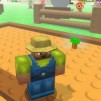
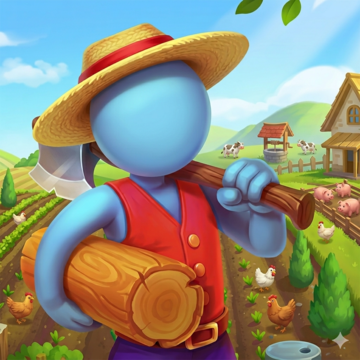
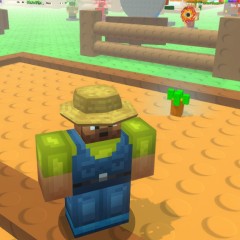 The farmer in his garden in Grow a Garden
Market - Selling Your Agricultural Products
After harvesting your crops, the final destination is the market. At the market, you can check the prices of your products and decide whether to sell them or hold onto them for later. Making smart selling decisions helps maximize profits, especially when dealing with high‑value crops.
Game Controls in Grow A Garden
- Move your character: Use the arrow keys.
- Plant seeds, harvest crops, or talk to NPCs: Press E or click the left mouse button.
Important Tips for New Players in Grow A Garden
Watch the Seed Shop Rotation
The seed shop updates its available seeds every few minutes. Rare seeds often sell out quickly because of their high selling value. It's a good idea to save your cash and buy rare seeds as soon as they appear.
You Are Not Farming Alone
Grow A Garden is a shared experience. Other farmers are also tending to their own gardens, and you may see them harvesting or selling crops at the market. This adds life and immersion to the game world.
Progress Is Saved Automatically
The game automatically saves your progress, including the cash you earn. This means you can safely leave the game and continue your farming journey later without losing progress.
More fun games: Climb Over It, Dude Thief Auto.